
Connect it to AutoClaw and get a limited-time 150% quota boost
Available for both Individual and Team plans

Choose your plan
New users receive 200‑million tokens, valued at $24, upon registration and sign‑in
Available for both Individual and Team plans
Lite 5,000 · Pro 10,000 · Max 26,000
Analyze spreadsheets
and data
Manage investments
and financial planning
Automate Business
Operations
Social Media
Operations

AutoClaw brings an AI assistant, office automation, browser automation, and IM workflows into one desktop app. Instead of configuring complex workflows or writing scripts first, you describe the goal and let AutoClaw operate tools, files, browsers, and built-in skills step by step.
Generate Word, Excel, PPT, reports, meeting notes, charts, and structured documents with 50+ built-in skills. It helps operations, sales, project managers, and teams handle repetitive documentation work faster.
Across Telegram, Instagram posts, Substack long-form, X (Twitter) threads, and TikTok short-video scripts, AutoClaw can push from topic ideation, headlines, body copy, and cover concepts all the way through multi-platform repurposing. One person can handle content planning, asset curation, publishing scheduling, and performance review end to end.
Connect market data, organize filings, run strategy backtests, and generate investment analysis reports. It is useful for analysts who need repeatable data collection and structured research output.
Describe a page, dashboard, mini app, or internal tool, and AutoClaw turns the requirement into runnable frontend code with browser preview. It is designed for fast product validation.
Automate form filling, screenshots, web data collection, console checks, and scheduled browser tasks. Repetitive web operations become traceable workflows handled by AI.
Works across Slack, Telegram, WhatsApp, and Lark. Team members can @ the AI assistant directly in chat to assign tasks — results, files, progress updates, and next-step recommendations flow back into the thread or DM automatically, eliminating constant tool-switching.
AutoClaw works best as an AI digital worker that can execute multi-step tasks, not just answer questions. It understands goals from chat, operates browsers and local tools, and turns repetitive work into reusable workflows.
AutoClaw checks competitor pages every morning, captures price and promotion changes, structures the data, and sends a daily IM report before the team starts work.
RetailAutoClaw collects market data, filings, and industry news, then generates weekly research reports. When backtesting is needed, it runs scripts, organizes parameters, and outputs charts.
FinanceAround a single topic, AutoClaw generates Instagram posts, TikTok short-video scripts, Substack long-form essays, X (Twitter) threads, and cover copy — then adapts tone to each platform's voice. Topic ideation, copywriting, layout, asset checklists, and publishing timelines all move forward inside one continuous task.
ContentA user sets a goal in one conversation. AutoClaw breaks it down, executes it, then feeds the results, complete with context, right back into IM.
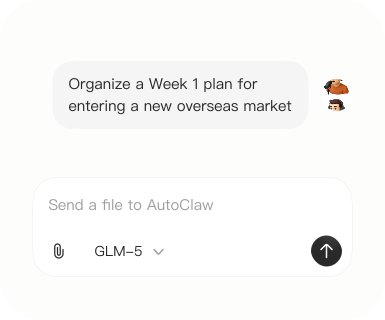
No setup maze or extra dashboard. Just describe what you need in a chat and get started right away.
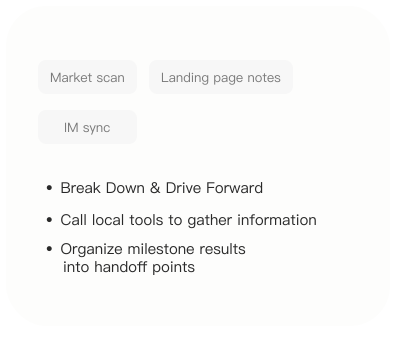
AutoClaw carries out the task with real tools and keeps the work moving without constant back-and-forth.
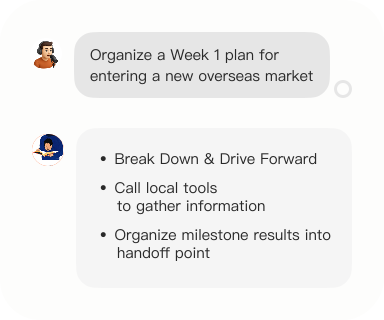
See the outcome, key context, and next steps in the same conversation, so it is easy to review and continue.
Most questions before downloading AutoClaw are about pricing, platform support, setup, IM integration, model capability, and data safety. These answers help you decide whether it fits personal, team, or enterprise automation workflows.
AutoClaw offers free basic usage and daily free credits. Individuals and small teams can use it for documents, data analysis, browser automation, and IM assistant workflows. Paid plans are available for heavier usage.
Yes. AutoClaw supports Windows 10 and later, plus macOS on Apple Silicon and Intel devices. The desktop app is designed for local files, browser tasks, and long-running automation workflows.
No. Install the desktop app and the built-in 50+ skills are ready to use for document generation, data analysis, and browser automation. There is no development environment or command-line toolchain to configure.
Yes. AutoClaw Desktop supports WhatsApp, Telegram, Discord, Lark, and other IM platforms. Once connected, you can @ the AI assistant directly in group chats or DMs to assign tasks — progress updates, results, files, and next-step recommendations flow back into the conversation automatically.
AutoClaw works with GLM models and supports switching between models such as DeepSeek and GLM depending on the task, including writing, coding, data analysis, browser operations, and planning.
AutoClaw is a locally installed desktop app. AI tasks only send the necessary task description and model-call context. For private files or enterprise accounts, teams should configure access according to their own security policies.
For teams, a useful AI assistant needs more than writing ability. Models, context, skills, platforms, and collaboration entry points all matter. AutoClaw is designed for real task execution in daily workflows.