

An event page has one job: tell people what's happening and get them to RSVP. In this walkthrough we use Design Expert in AutoClaw to build a landing page for a fictional design meetup, "Pixel & Pint — Lisbon," check it on desktop and mobile, and fix a mobile issue in the same task.
What you'll make: a previewable event landing page (hero, talks, schedule, venue, FAQ, footer) with a demo-only RSVP form, a design canvas for review, and a mobile revision with a sticky RSVP bar.
Watch the demo
The video below (under 40 seconds) shows the full flow, from the first prompt to the revised result. English subtitles are burned in.
Step 1: Start a new task and choose Design
Open AutoClaw, click New task, and select Design above the input box. This walkthrough uses GLM-5.3-Flash from the model menu at the bottom right of the input box.
Step 2: Describe the audience, the sections and the direction
State who the page is for and what it must achieve, list the sections, and describe the visual direction in a few concrete words. Here's the prompt we sent:
Create a previewable event landing page for a fictional monthly design meetup, "Pixel & Pint — Lisbon", for the organizing team to review. Audience: product designers and front-end developers. Goal: understand the event in five seconds and RSVP.
Sections: hero with date, venue and an RSVP button; three talk cards with speaker, title and 2-line abstract; evening schedule; venue and how to get there; FAQ; footer. Mark all dates, speakers and venues as sample information. The RSVP form is a demo only — do not collect or submit real data.
Visual direction: playful editorial — warm off-white, ink black, one bright tangerine accent, oversized type, a few hand-drawn arrows. Check desktop and mobile. Deliver the page and a design canvas, and explain which interactions can be demoed.
Asking the agent to mark all details as sample information and to keep the RSVP form demo-only means nothing on the page can be mistaken for a real event or collect real data. Click Send when you're ready.
 Paste the brief and click Send.
Step 3: Review the page in the preview area
The answer delivers prototype.html (the page) and design-canvas.html (live previews of every section and state, including 390px mobile frames). Click the page link to open it.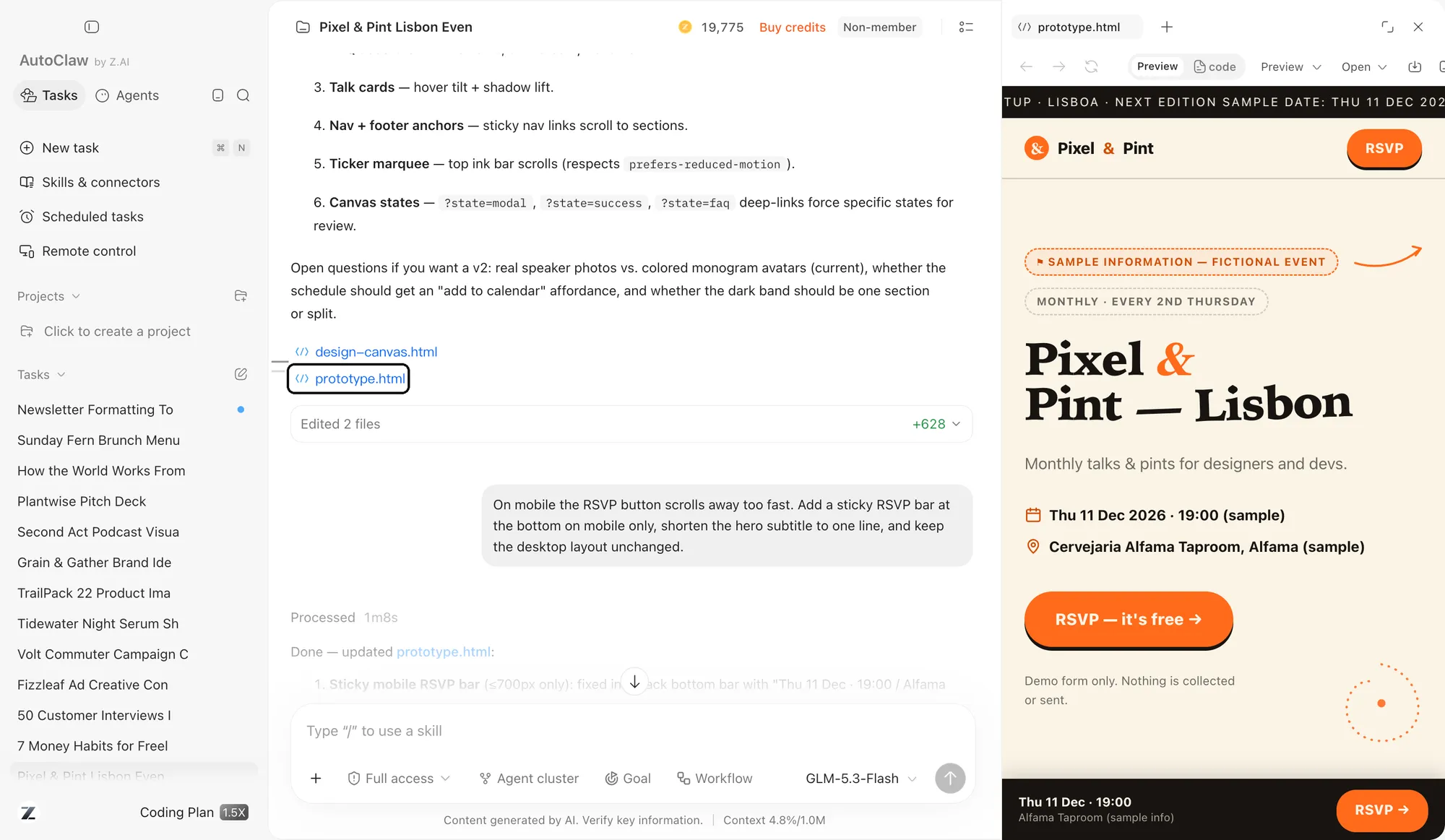
The answer links the page and the design canvas.
The agent listed what can be demoed: the RSVP modal with inline validation and a fake confirmation, an FAQ accordion, hover effects on the talk cards, anchor links in the sticky nav, and a scrolling ticker. It also suggested open questions for a v2, such as whether to add an "add to calendar" option.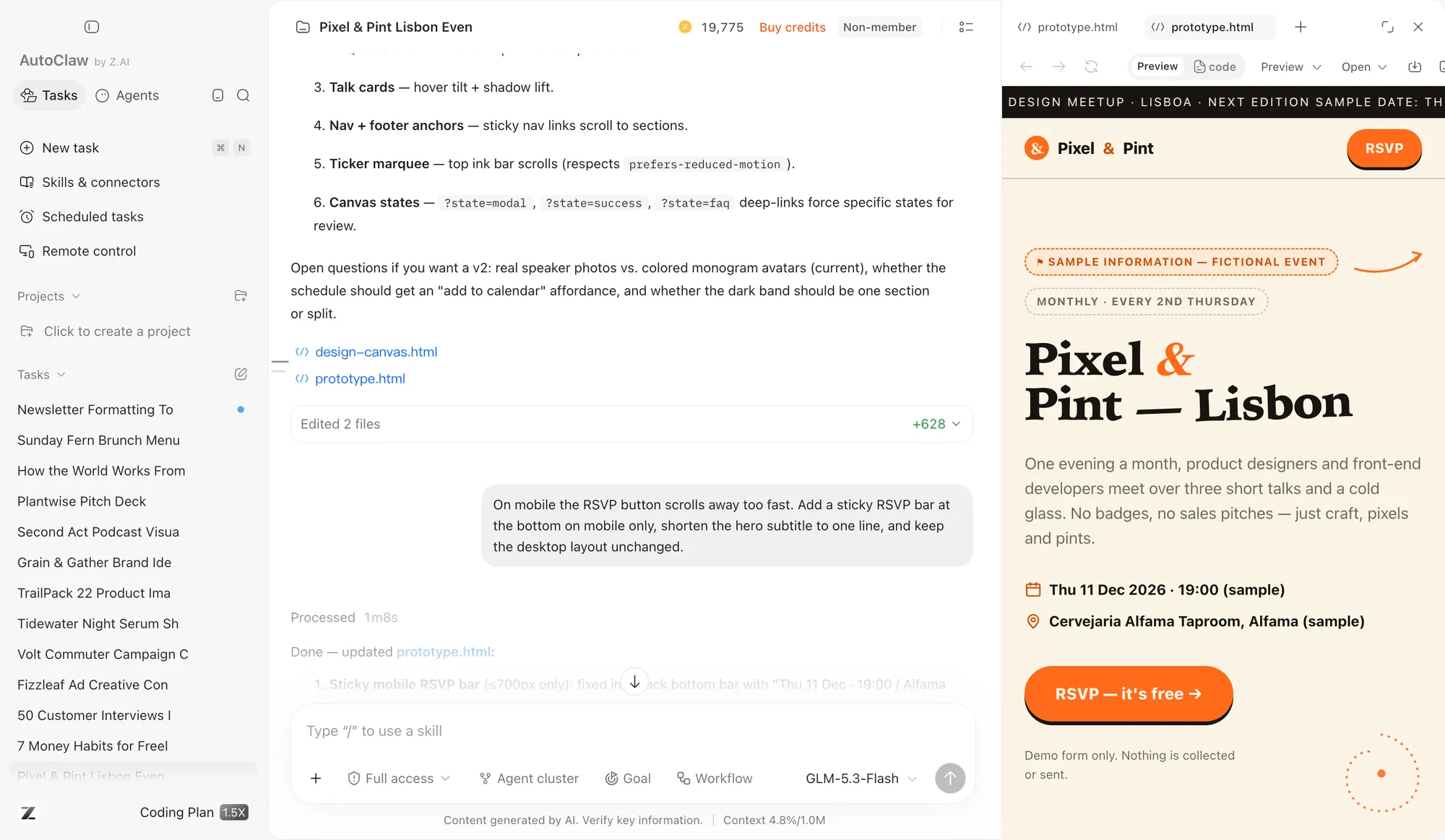
The landing page in the preview area.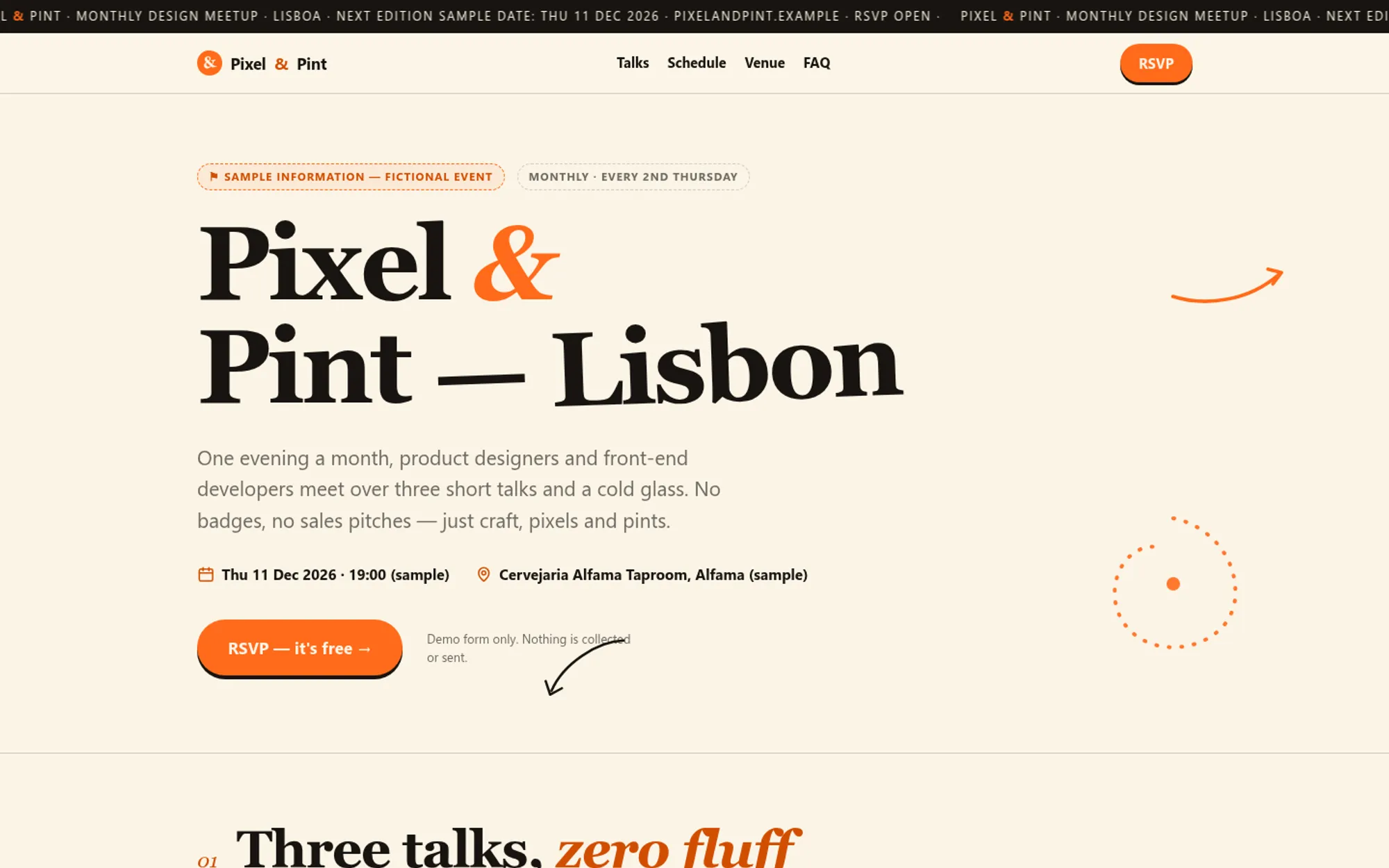
Desktop hero: date, venue and RSVP in the first screen.
Step 4: Ask for changes in the same task
Look at the mobile layout, describe what goes wrong, and say what must stay the same on desktop:
On mobile the RSVP button scrolls away too fast. Add a sticky RSVP bar at the bottom on mobile only, shorten the hero subtitle to one line, and keep the desktop layout unchanged.
Send the change request in the same task.
The agent updated prototype.html. On screens up to 700px wide a black bar is now fixed to the bottom with the date, venue and an RSVP button that opens the same demo modal, and the footer gets extra space so nothing is covered. The mobile subtitle is now one line, "Monthly talks & pints for designers and devs." while desktop still shows the full text. The desktop layout stays the same, and the design canvas picks up the change automatically because its live frames load the updated page.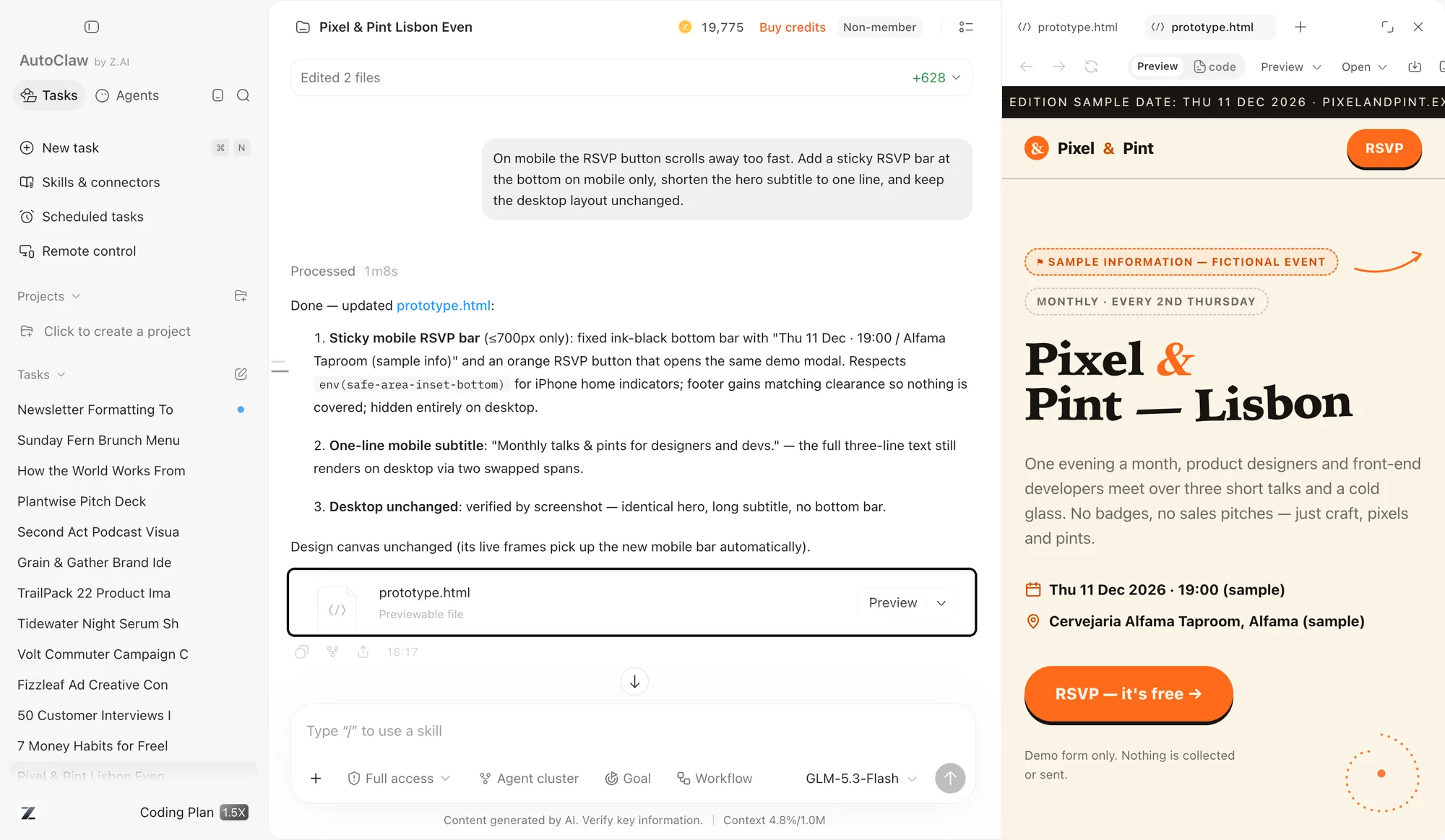
The updated page is delivered in the same task.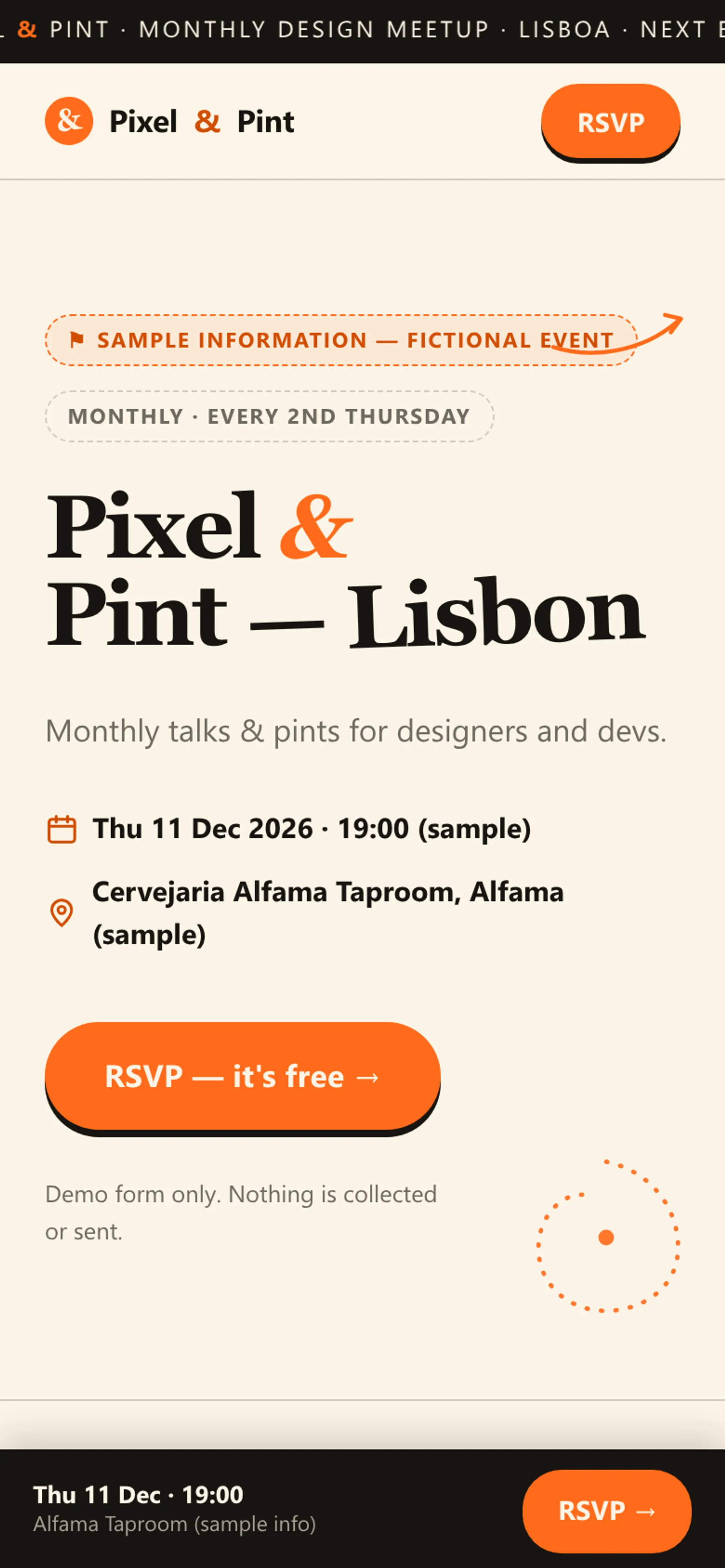
Mobile after the edit: one-line subtitle and the sticky RSVP bar.
Tips for your own project
- Set a five-second goal. "Understand the event in five seconds and RSVP" tells the agent what belongs in the first screen.
- Ask for a design canvas. It puts every section and state on one page for review.
- Mark sample data clearly. It keeps drafts from being shared as real announcements.
- Scope mobile fixes. "Mobile only" and "keep the desktop layout unchanged" prevent side effects.
Files you get
prototype.html, the landing page (updated in place with the mobile changes)design-canvas.html, a review page with live previews of every section and state
Swap in your own speakers, date and venue, and you have an event page ready for review.


