Agent cluster mode
Agent cluster mode does not make the AI smarter. It gives the AI a way of working: it behaves like a small team that adjusts its formation to the task. It handles simple tasks on its own and brings in teammates to split the work only when the task is complex.
What it is
When you turn on Agent cluster mode, the AI does not answer right away. It first reads through your request and works out the steps required. When a task can be split into dimensions, it launches several roles that work in parallel. When the output includes conclusions or code, it also reviews its own work. Finally, it delivers a polished, ready-to-use result.
What you see is not just a block of text, but the working process of a team.
What it adds compared with standard mode
Standard mode is already an agent that can search for information, use tools, and dispatch sub-agents. Agent cluster mode adds several required steps on top of it, taking the output from "usable" to "ready to deliver".
Dimension | Standard mode | Agent cluster mode |
|---|---|---|
How it works | Decides the steps by judgment and starts working right away | Posts a plan listing every step before it starts |
Source of facts | May answer from the model's existing knowledge | Key facts are verified online |
Who does the work | The main thread does the work by default; extra roles are brought in only for very complex tasks | When the task can be split into dimensions, extra roles are brought in by default to work in parallel |
Review | Delivered as soon as it is written | Output that contains conclusions, code, or actionable advice is self-reviewed before delivery |
What you get | Text / Markdown | A properly formatted web page, document, or PPT |
What you will notice with Agent cluster mode
You can watch it work, with no black box
A progress panel appears in the chat showing which step it is on, which steps are done, and what remains, all at a glance. Instead of just promising "I will do X", it shows the real current status as it changes.
Expert answers in specialized fields
In fields that have been specifically optimized, such as finance and industry research, it knows which perspective to take and to confirm the subject before going into detail, rather than giving the same boilerplate answer for every field.
Deliverables look finished
If a request can be answered in a sentence or two, you get a plain text answer. Only when a visual output is needed does it produce a properly formatted web page, document, or PPT, without the cheap "obviously AI-generated" look.
Parallel work when tasks can be split
When a task can be split into dimensions (for example "find sources / write the body / create the images"), multiple roles are launched to work in parallel, which noticeably shortens the wait for complex tasks.
What it does best
Field | Typical requests |
|---|---|
Financial analysis | "Take a look at the latest earnings report from company XX" "Pull together a peer valuation comparison" |
Industry research | "The global competitive landscape of AI coding tools" "Outlook for the EV battery recycling industry" |
In-depth reading / literature review | "Explain this paper clearly" "Read these 5 articles and write a combined summary" |
Long-form writing | "Write a white paper based on this outline" "Create an internal PPT" |
🎁 When not to use it: casual questions, single-step answers, and small talk. Agent cluster mode starts a full workflow, so using it for these is overkill and actually slower.
What it looks like in practice
Even in Agent cluster mode, the formation is chosen automatically based on task complexity: a broad research task may involve many roles working together, while valuing a single company may need only a main agent and a reviewer.
Case 1 · Time-sensitive survey: what is new in the Agent space this week
Input: "Keep an eye on what is new in the Agent space over the past week and put together a report that helps me keep up with the trend."
- Many researchers working separately: a scanner maps the overall landscape → researchers each cover one direction (product watch / academic scan / framework ecosystem / regional ecosystems / investment view / KOL scan / opposing views) → more dig deeper into each direction → a lead writer drafts the report, an independent reviewer checks it, and a layout designer produces the HTML
- The reviewer checks citations and numbers across directions before the report is delivered
- Output: a long web report based on many web pages, with cross-direction insights, and intermediate notes you can look back at
Case 2 · Company earnings update report
Input: "Create an earnings update report for a listed company's Q4 2025."
- Two roles working together: the main agent collected data (earnings report + key business metrics + consensus estimates) → Beat / Miss analysis → wrote a DOCX report, while a chart worker simultaneously produced PNG charts
- During review, the main agent found on its own that the file name referenced in the DOCX did not match the actual file, located the problem, fixed it, and regenerated the document
- Output: a DOCX report with embedded charts, with a self-check during review and fully traceable sources
Case 3 · Quant code + backtest: MACD on the S&P 500
Input: "I want to try a MACD golden cross / death cross strategy. Write a version in Python, backtest it on the S&P 500 index for the past three years, and output the return curve and key metrics."
- Three roles with divided responsibilities: the main agent pulled three years of daily S&P 500 data and organized it into a standard dataset; the quant wrote the backtest engine (EMA12 / EMA26 / DEA9 with golden cross / death cross trades) and produced the trade details and metrics; the reviewer independently rewrote the formulas and reconciled them item by item
- Problems found by the reviewer were also reported honestly, for example noisy trades produced during the EMA initialization phase
- Honest conclusion: it honestly compares the strategy return against a buy-and-hold benchmark, and if the strategy did not outperform, it says so plainly, with no sugarcoating
Where to turn it on
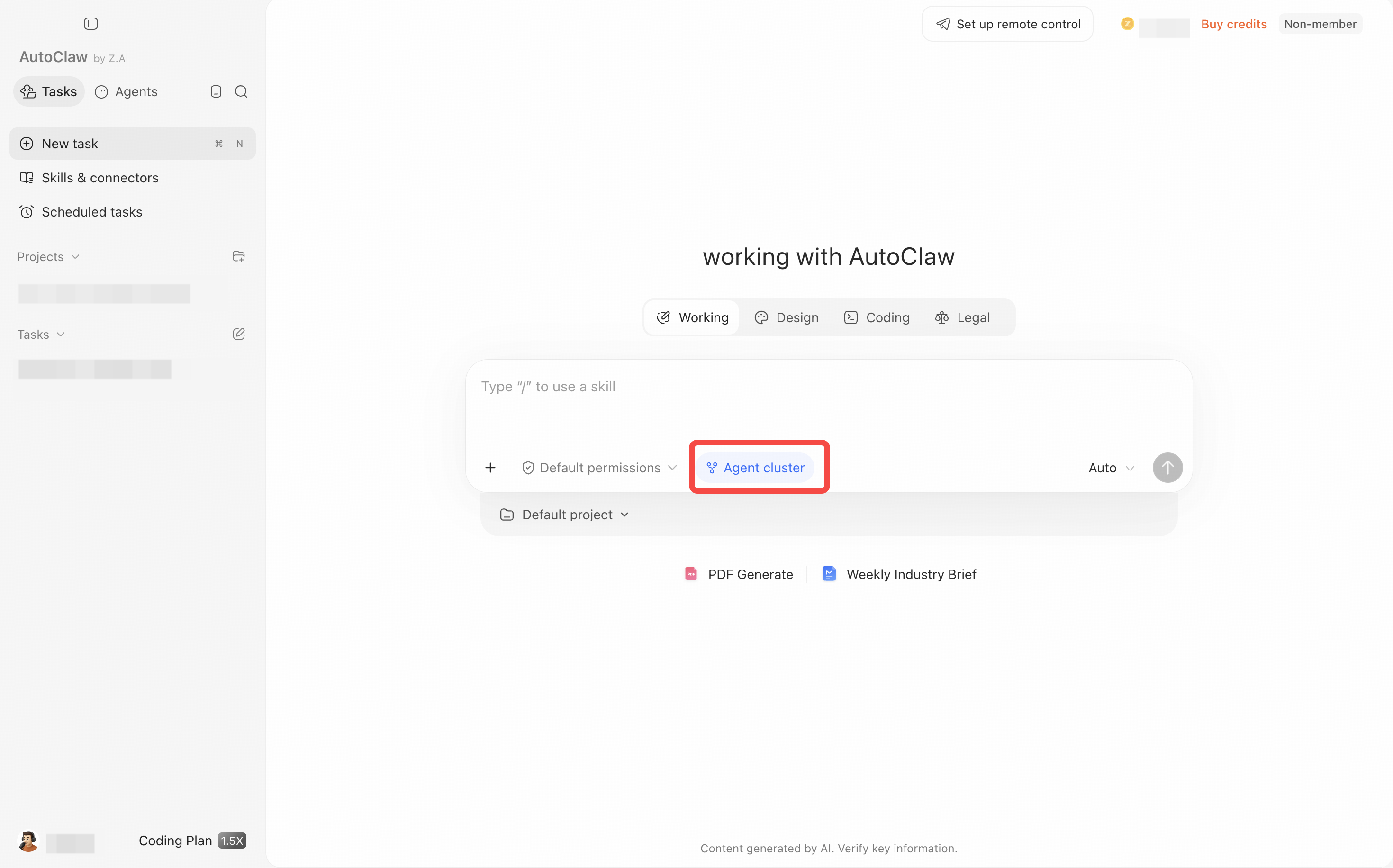
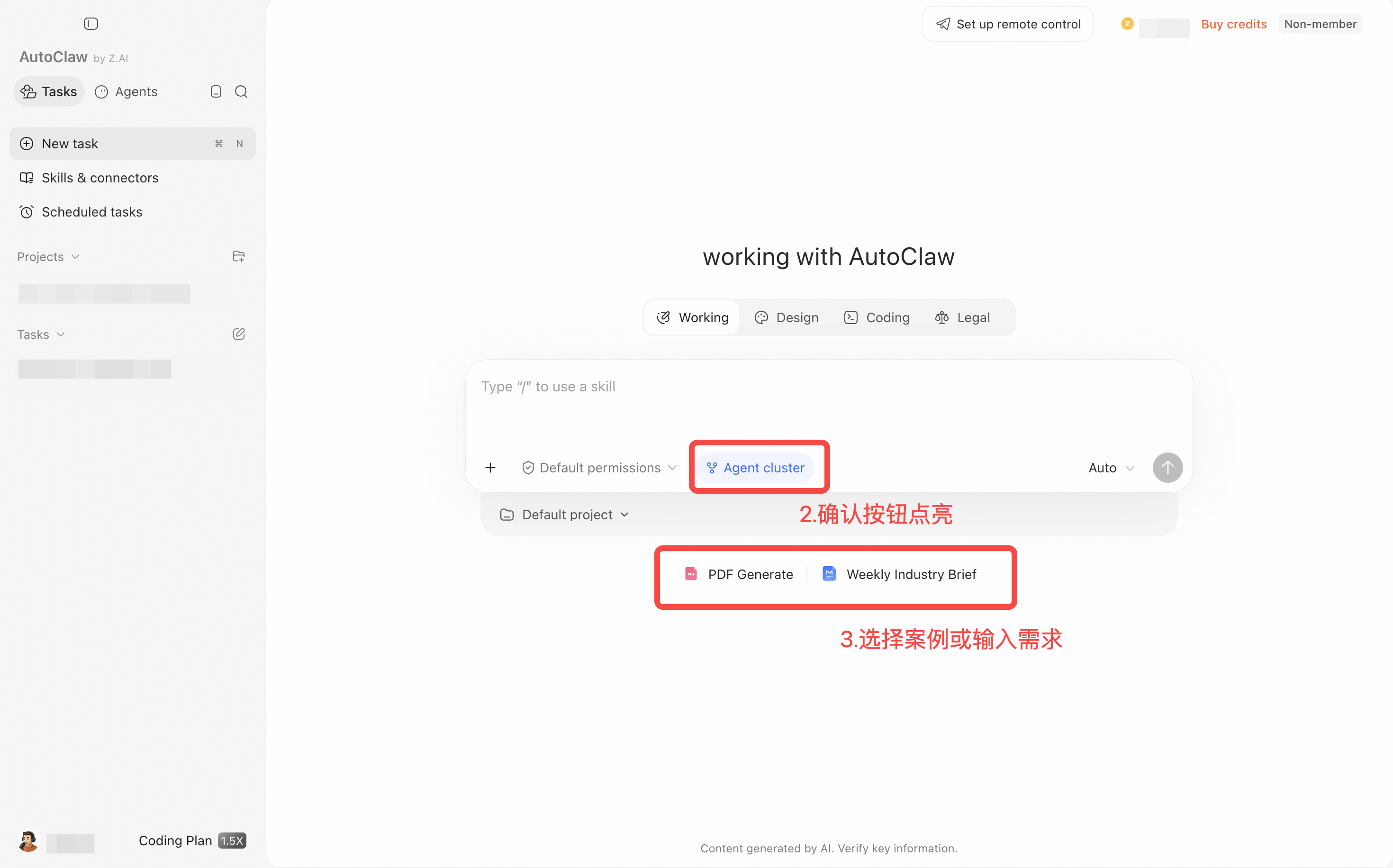
In the chat box on the home page, turn on the Agent cluster button, then send your request.
💡 Recommended use: treat it as your entry point for when you want to do something properly. Turn it on for tasks that need a deliverable, are somewhat complex, or need to be done right; turn it off for casual chat.
Get started in three steps
- Click Agent cluster in the chat box on the home page.
- Enter your complex request. It is best to state the deliverable, time range, and criteria for judgment clearly.
- After sending, check the task plan and the progress of each role, and wait for the main Agent to summarize, review, and deliver the final result.
If the task cannot be split, Agent cluster mode may use only a few roles. This is normal: the number of roles depends on task complexity and does not indicate quality.
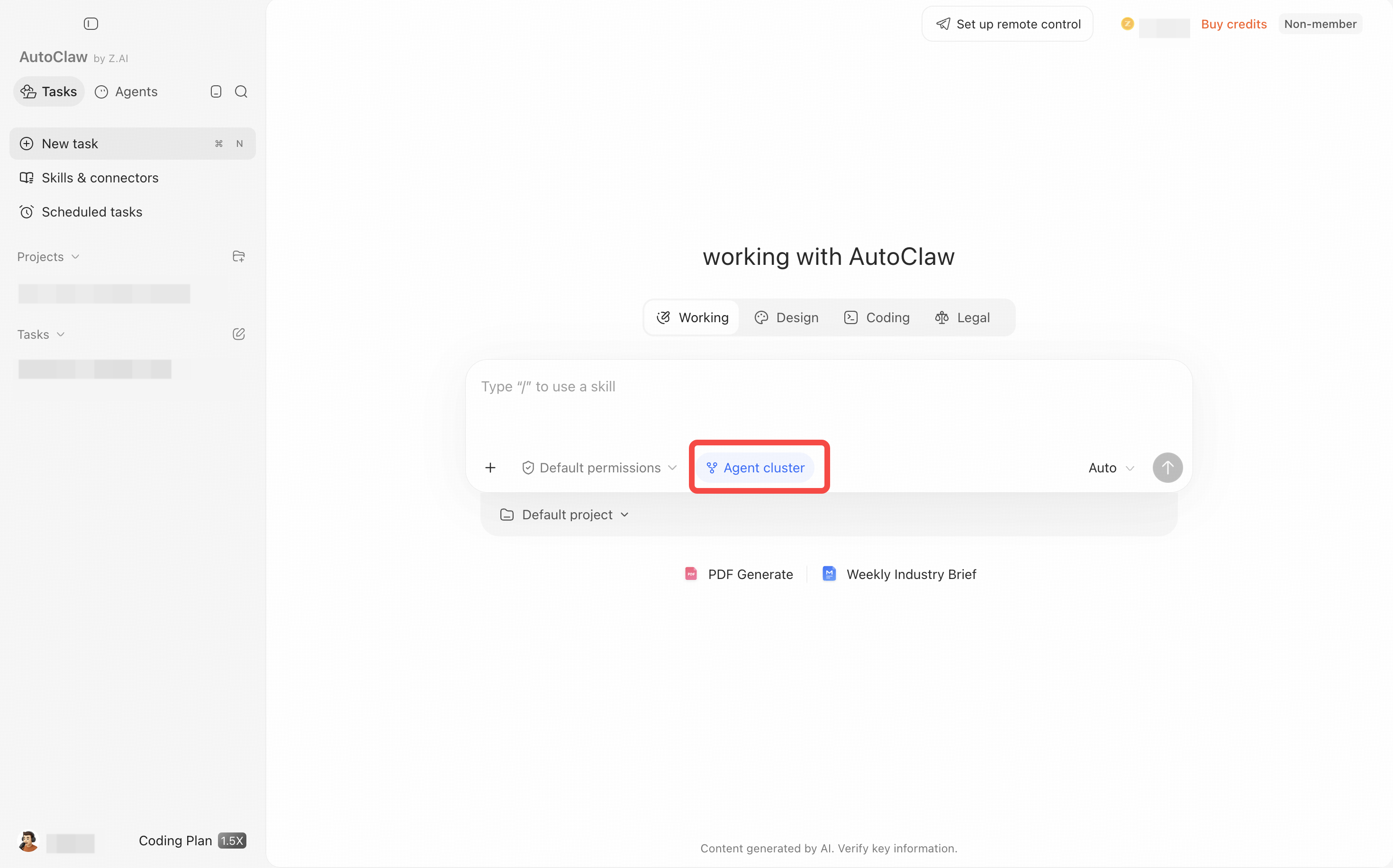
Agent cluster mode: full walkthrough
First turn on Agent cluster, then enter a complex request. After sending, you can view the task plan and the roles' collaboration progress.