Feedback
Ran into a problem or have a feature suggestion? Share it through the following channels:
- AutoClaw desktop app: in-product feedback entry
- Official user community: join through the Discord community below to exchange tips and product suggestions with other users
💡 When you send feedback, we recommend including a task description, steps to reproduce, and a screenshot or screen recording. This gets you a faster response.
Channel 1: Submit feedback in the product
Step 1: Open the feedback entry
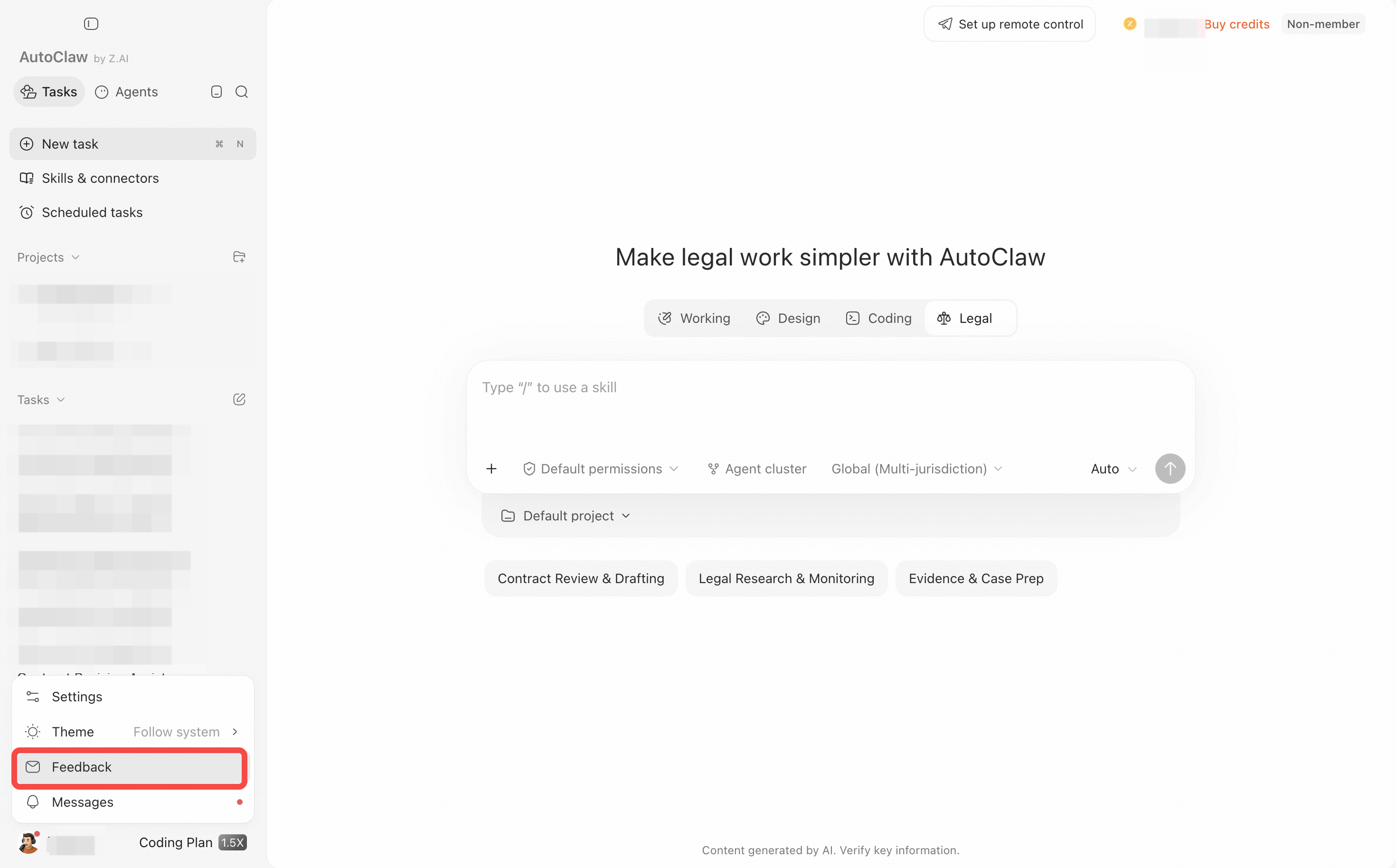
On the AutoClaw home page, move the cursor to your user ID in the lower-left corner and click the Feedback icon that appears. You can also go to Settings → Feedback.
Step 2: Describe the problem or suggestion
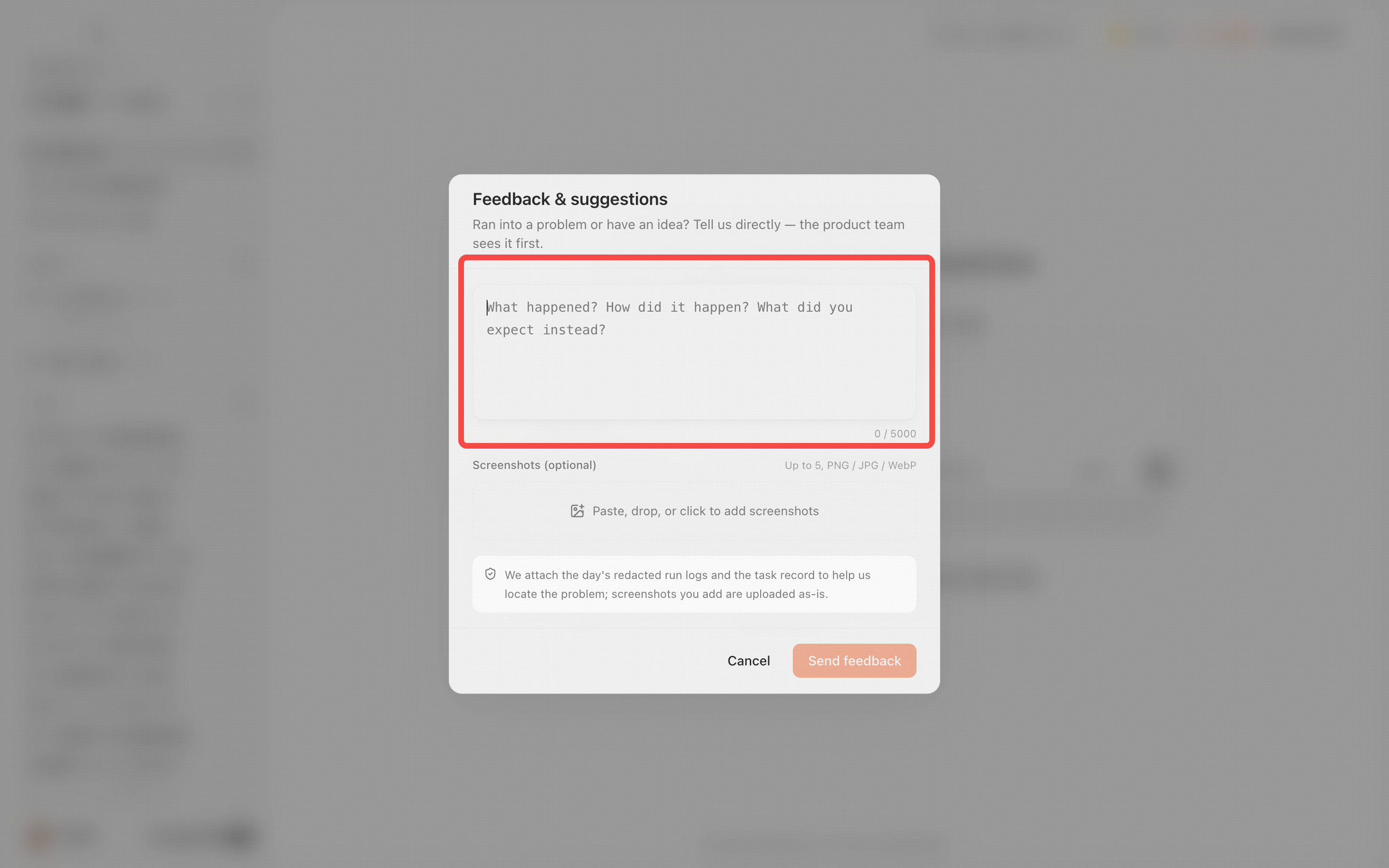
In the Feedback & suggestions window, click the input box and describe the problem as completely as you can. When you send feedback, AutoClaw attaches that day's redacted run logs and the task record to help locate the issue, so make sure your feedback does not contain passwords, keys, private chats, or unnecessary personal information before you send it.
Step 3: Check the information and submit
We recommend filling it in with the following structure:
- Issue type: malfunction, experience issue, or feature suggestion
- Steps to reproduce: what you did first, what you did next, and at which step the problem occurred
- Expected result: what should happen under normal circumstances
- Actual result: what you actually saw, or the error message
- Additional information: operating system, when it happened, and whether it can be reproduced consistently
After confirming there is no sensitive information, click Send feedback. Replies from support appear under Settings → Feedback. The examples in this guide are for demonstration only and were not actually submitted.
Channel 2: Official user community
If you want to exchange tips, follow product news, or report common issues, you can join the official user community.
Discord link: https://discord.gg/2nVkxpncB
For issues involving accounts, orders, logs, or other personal information, use in-product feedback first and do not post them directly in public group chats.
Help us locate the problem faster
Effective feedback should include the time it occurred, the complete steps to reproduce, the expected result, the actual result, and a redacted screenshot or screen recording. If the problem is intermittent, say roughly how often it occurs. If there is a workaround, include that too.
Do not include App Secrets, API Keys, access tokens, verification codes, payment information, or unredacted customer data in your feedback. If you suspect a credential has been leaked, revoke or reset it on the relevant platform first, and then report the issue.