Everyday work
✅ Everyday work is built for general tasks such as planning, documents, spreadsheets, news, content creation, and cross-app collaboration. This page walks through the full workflow with a real example.
Start with a real example
The following example, "create a weekly work plan template," walks you through the full path from choosing a scenario to getting your result.
Step 1: Enter Everyday work
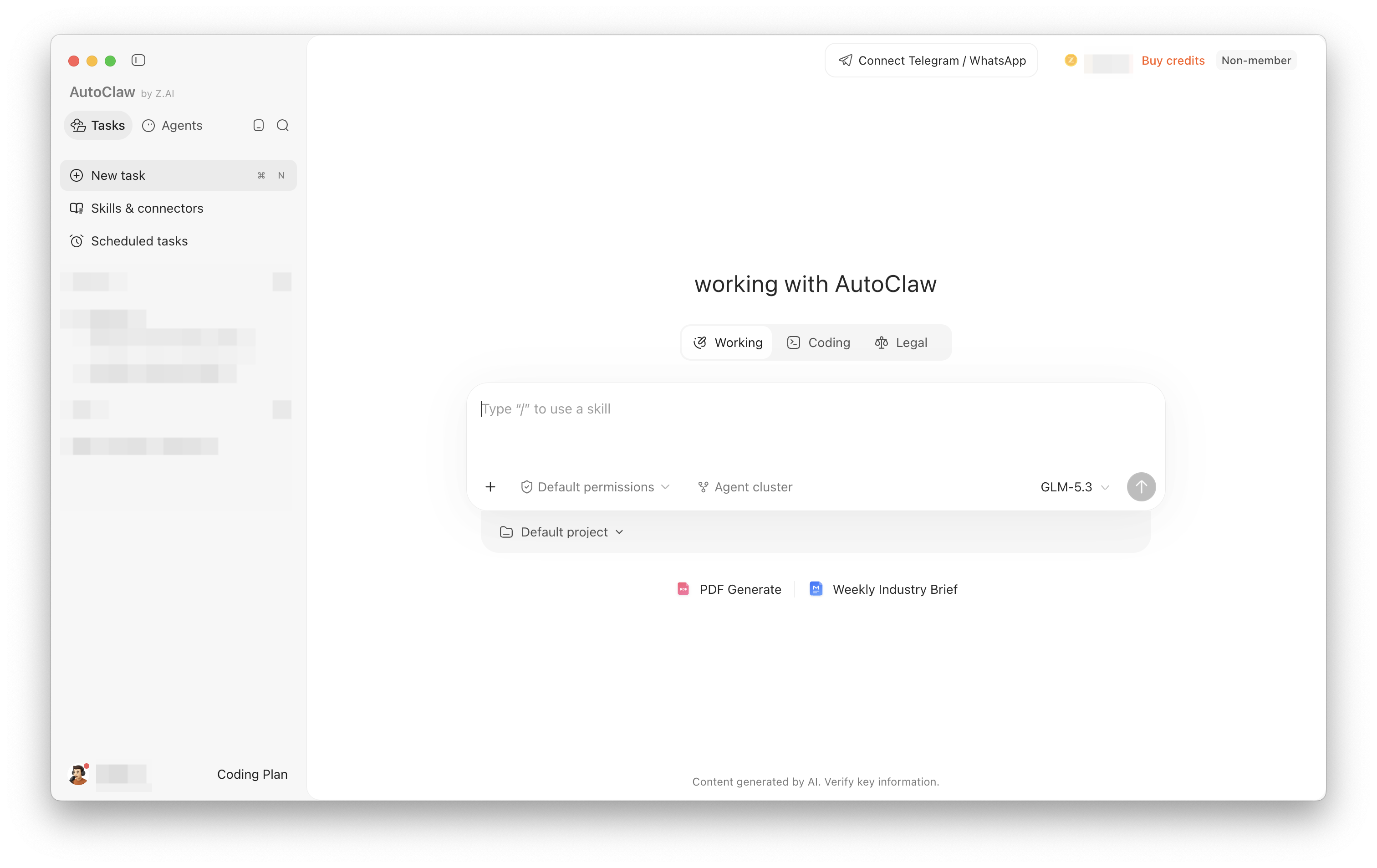
Open AutoClaw and select "Everyday work" in the middle of the home page. Everyday work suits general tasks such as organizing documents, making plans, searching for information, writing content, summarizing data, and collaborating across apps.
Step 2: Enter your task and send it
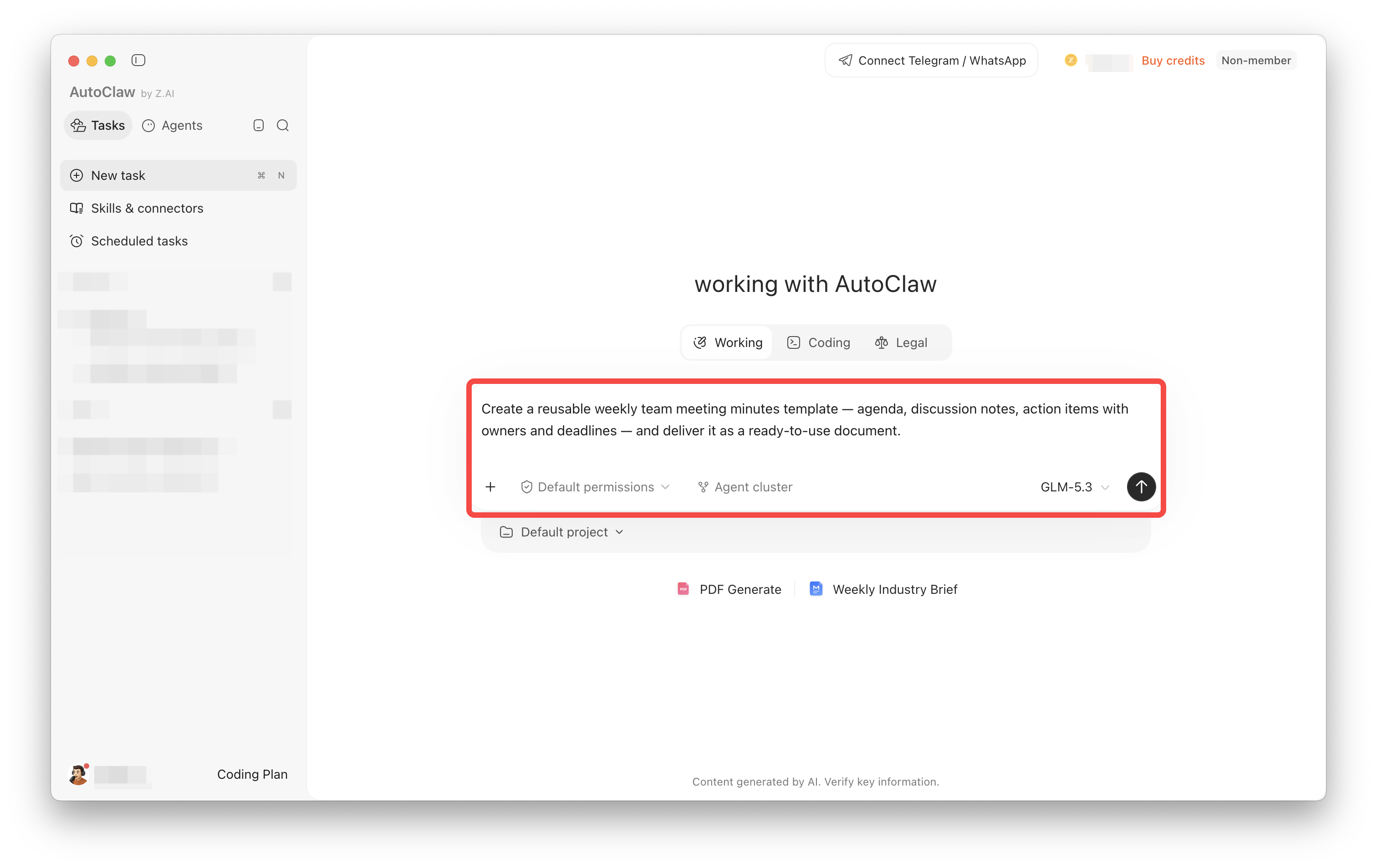
Click the chat box and clearly describe the deliverable and format you want. In this example, enter:
Please create a weekly work plan template. Use a table to list the task, priority, owner, due date, and status, and add three usage notes.
After checking your text, click the send button at the bottom right of the chat box. To work with existing materials, first click "+" at the bottom left of the input box to upload files. To specify a capability, type "/" to select a Skill.
Step 3: Review the result and keep refining
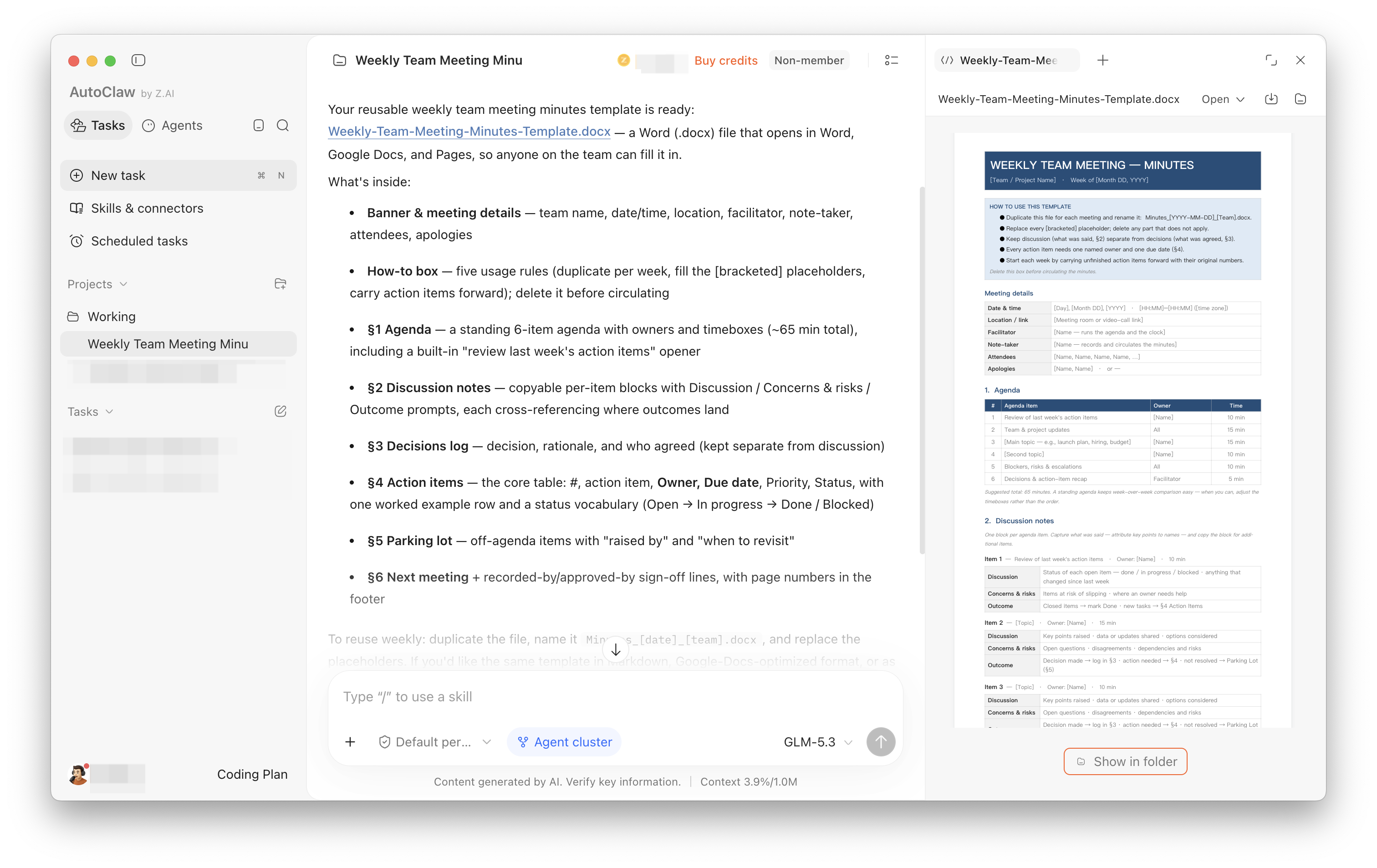
AutoClaw generates the result in the current task. In this example, it produced a work plan table with task, priority, owner, due date, and status columns, along with priority rules, status update guidelines, and tips for filling in due dates.
First check whether the content and format meet your requirements. If you need changes, keep asking in the same conversation, for example "Leave the owner column blank," "Add a notes column," or "Export as Excel."
Common work examples
Everyday work covers the following common tasks:
| Scenario | How to phrase your request |
|---|---|
| Industry news | Every day, compile the key AI industry news from the past 24 hours, categorize it by product, funding, and research, and include source links |
| Market research | Compile public news, announcements, and analyst commentary on the companies I follow into a short brief with source links; for investment decisions, provide information only and do not replace professional advice |
| Social media content | Generate X (Twitter) posts, LinkedIn articles, or Medium blog outlines from product materials, adjusting tone and length for each platform |
| Lark office tasks | Analyze the message history of a specified Lark group chat and summarize the main topics, user feedback, risks, and follow-up items |
| Research search | Find specified scholars, papers, institutions, or research areas, and summarize core conclusions with verifiable sources |
| Documents and spreadsheets | Extract action items from meeting minutes, and generate weekly reports, project plans, comparison tables, or Excel data sheets |
| Websites and coding | Plan pages from a PRD, generate code, run checks, and output previewable results |
You can use these examples directly as task templates. Just replace the topic, time range, data sources, and deliverable format.
Three tips for writing a good task
- Define the result: State whether you want a document, spreadsheet, web page, image, or a written reply.
- Provide materials: Upload the files to be processed, or specify the search scope, time range, and data source requirements.
- Set completion criteria: State which fields must be included, as well as the length, format, and verification method.
When a task involves sending messages, publishing content, payments, or deleting or overwriting files, we recommend explicitly asking for confirmation before execution.