Skill
💡 Skills are AutoClaw's reusable capability packs. You can install official or community Skills, or create your own Skill for a stable workflow.
Skills are AutoClaw's built-in capability packs. 50+ Skills work out of the box, covering:
- Social media content creation and publishing
- Building websites from a PRD
- End-to-end smart email workflows
- Deep Lark integration (reading and writing docs, managing cloud storage, searching the knowledge base)
- Marketing and SEO
- Full-cycle software development
- Vertical scenarios such as financial investment research and academic research
What is a Skill
A Skill is a reusable combination of working methods and tools. Once installed, the Agent knows which steps to follow for this kind of task, which tools to use, and how to check the result. Skills suit work that recurs and has a fairly stable process, such as writing social media posts, generating slides, reviewing contracts, or creating scheduled tasks.
Browse and install Skills
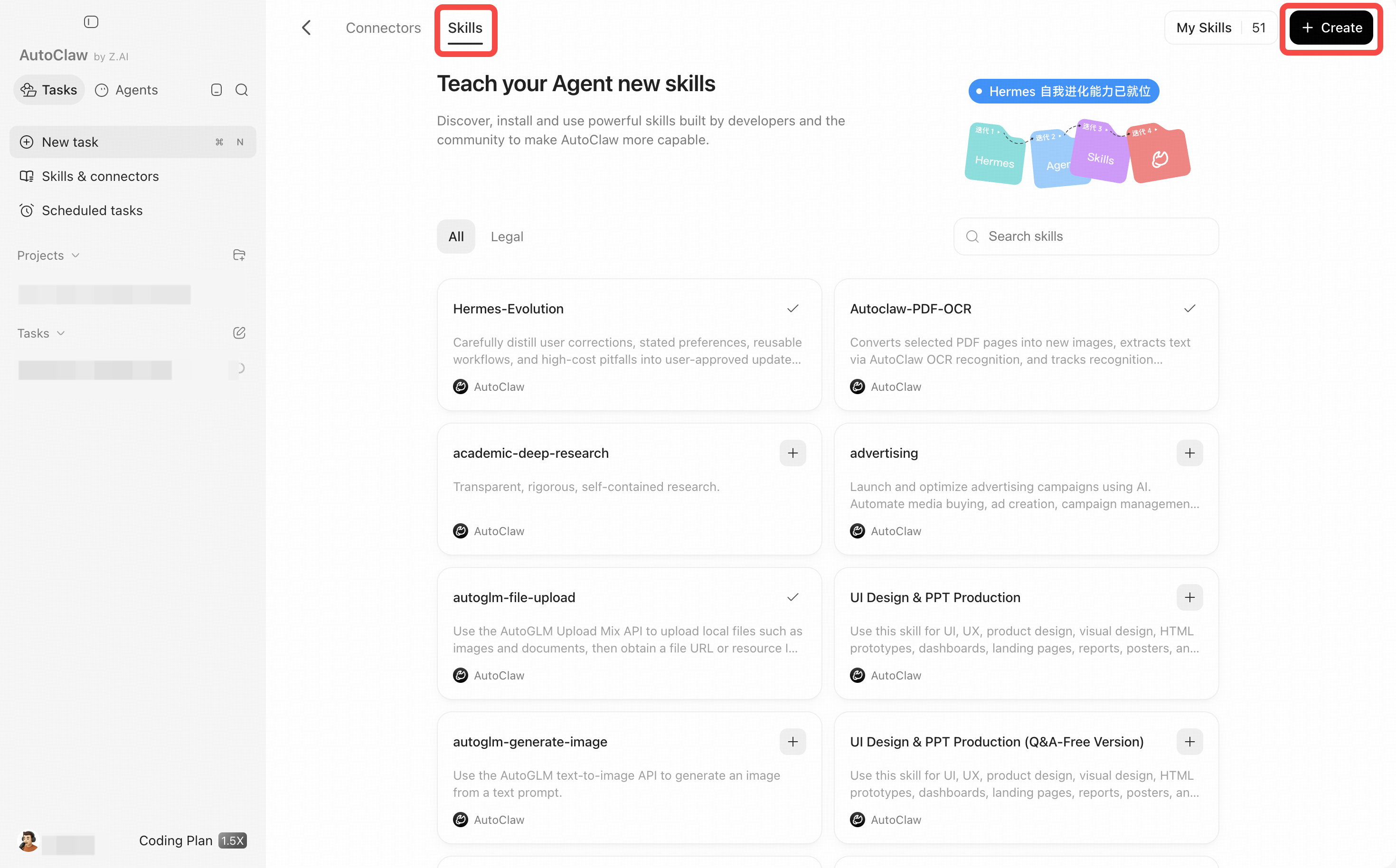
- On the home page, click Skills & connectors in the left sidebar and switch to the Skills tab at the top.
- Find the Skill you need by category or with the search box, and click "+" in the top-right corner of its card to install it. A card with a "✓" is already installed.
- Click My Skills to see the capabilities you have installed. To create your own, click Create in the top-right corner and choose how to create it (for example, through chat or by adding skill files).
- Go back to the chat box and describe your task in natural language. You can also type "/" in the input box and select a Skill so that the Agent explicitly uses it.
Use and maintain
- Before installing, read the Skill's description, source, and required permissions to confirm it fits your use case.
- The first time you use a Skill, test it with a small sample and check that the output format, external writes, and costs are what you expect.
- If several Skills could match, name the one you want in the task to reduce ambiguity.
- A Skill you build should clearly describe its inputs, steps, outputs, and failure handling. After changing it, start a new test conversation to verify.