Core capabilities
💪 This page details the five core capabilities of the Legal assistant: legal research, contract review, facts and materials organization, document drafting, and file redaction. Each capability is covered as "What it does → What makes it strong → How to use it."
1. Legal research
For jurisdictions where official sources are available, the Legal assistant searches them directly, and it uses web search for online research. For time-sensitive content, web search helps find leads, which are then cross-checked against official sources where possible. Choose your jurisdiction below the chat box before you ask (see Quick start).
From statutes and regulations to case law and vertical rules in areas such as finance, cross-border transactions, and data compliance, you can research them in one conversation.
The Legal assistant structures its answers around the document habits of real practitioners, emphasizing conclusion first, clear authority, applicability analysis, explicit risks and exceptions, and an actionable practical path.
📖 Example question: Under English company law, if a director appointed by a shareholder discovers that a proposed board resolution may violate applicable laws or regulations, or prejudice the interests of the company or its appointing shareholder, does the director have the right to object to, refuse to implement, or seek to challenge or set aside the resolution? What legal duties and remedies apply?
The Legal assistant works like this: understand the legal question rather than match keywords → confirm the currency of rules → screen for applicability → search across normative levels → bind conclusions to authority → legislative trends / latest positions → translate into a practical work path.
2. Contract review
Contract review is a signature capability of the Legal assistant. Upload a contract to be reviewed:
- Two-sided review: specify whether you represent Party A or Party B, and risk identification and clause revisions are all centered on your position, advancing your client's interests
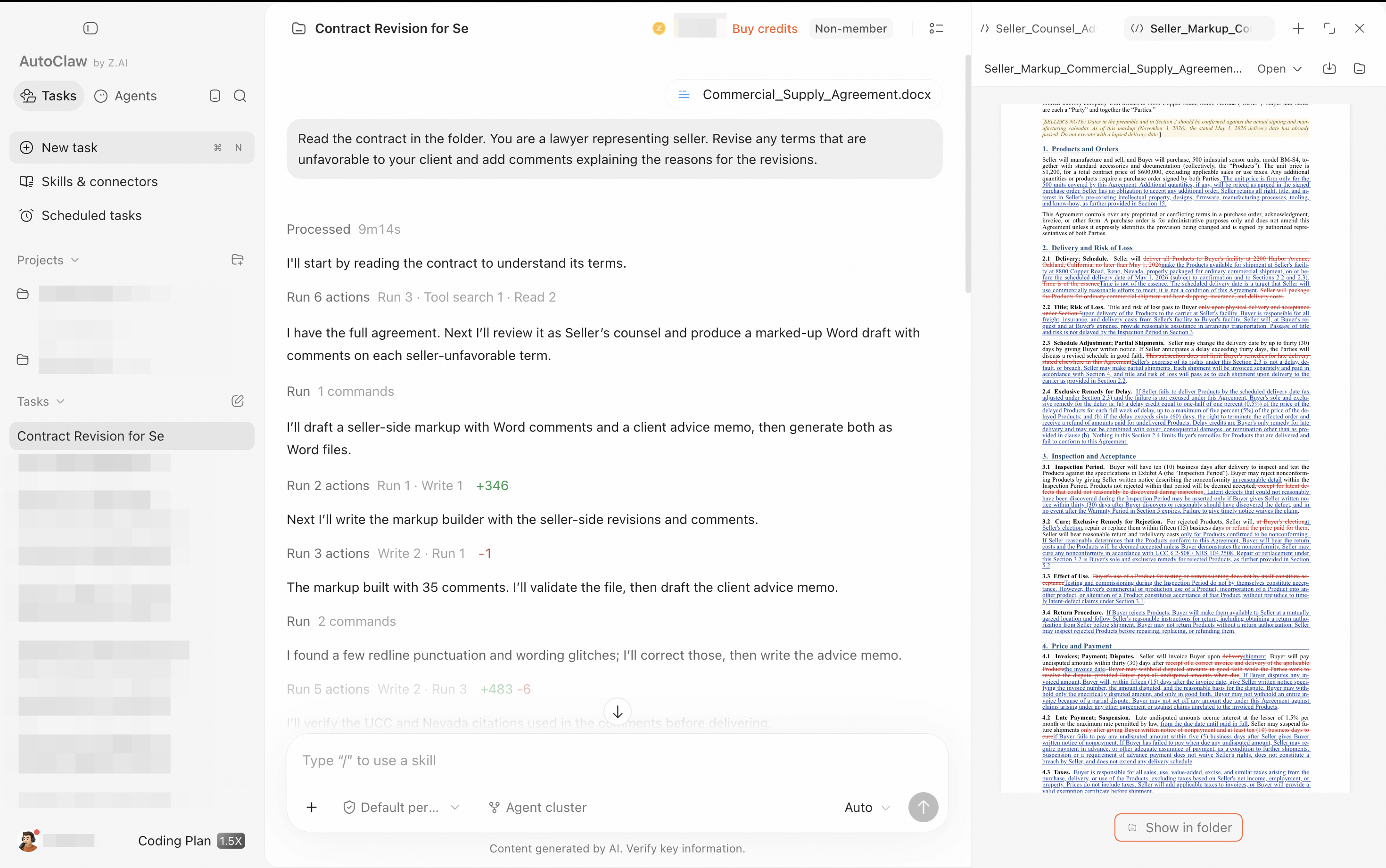
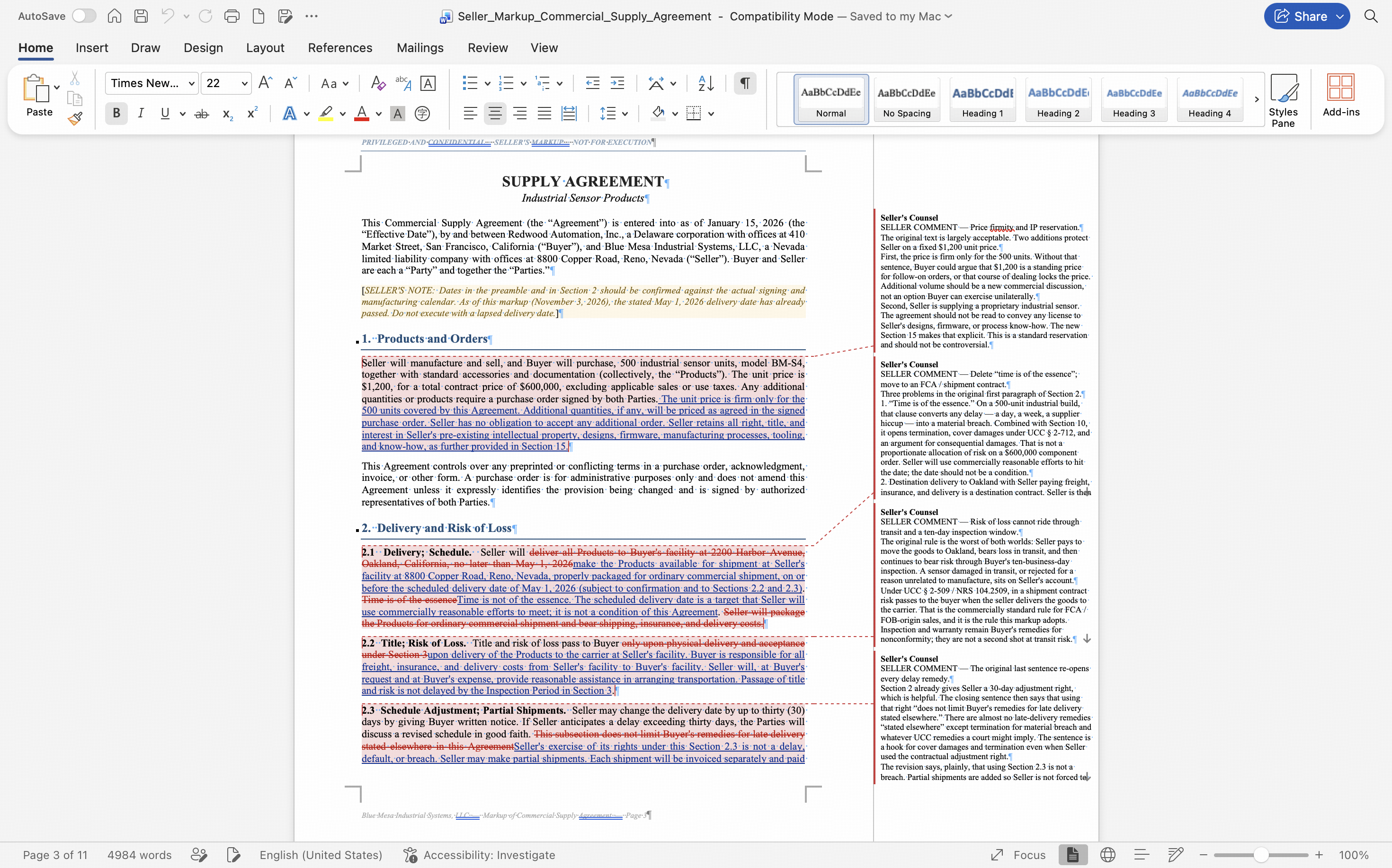
- Edits directly in the original document: delivers a Word document with revisions and comments, keeping the original formatting so you can review it, send it to the other side, or circulate it internally.
- Clearer review deliverables: changes are accompanied by comments explaining the reason, helping you quickly distinguish must-fix items, suggested negotiation points, and acceptable risks.
- Word and PDF handling: the Legal assistant works with Word and PDF files, including scanned documents. Please double-check numbers and dates in the output.
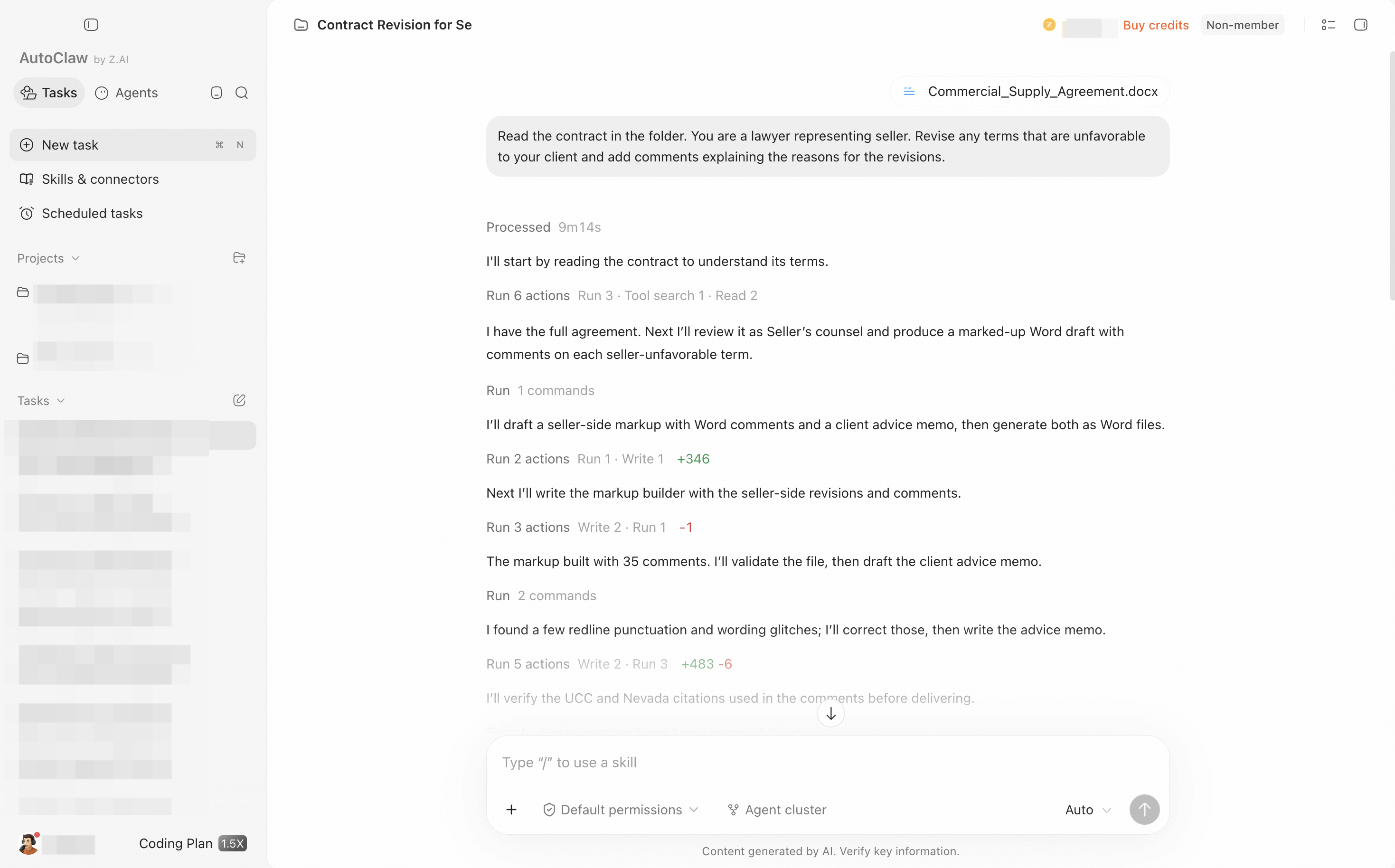
📖 Example task: Read the contract in the folder. You are a lawyer representing the seller. Revise any terms that are unfavorable to your client and add comments explaining the reasons for the revisions.
3. Document drafting
With professional optimization, the Legal assistant can generate legal documents in professional formats based on facts and legal analysis:
- Can generate: contracts, legal memos, lawyer letters, client explanations, complaints, motions, legal opinions, and more
- Version types: first drafts, client-readable versions, internal analysis versions
- Highlight: based on project context, it cites existing case materials rather than generating content from nothing
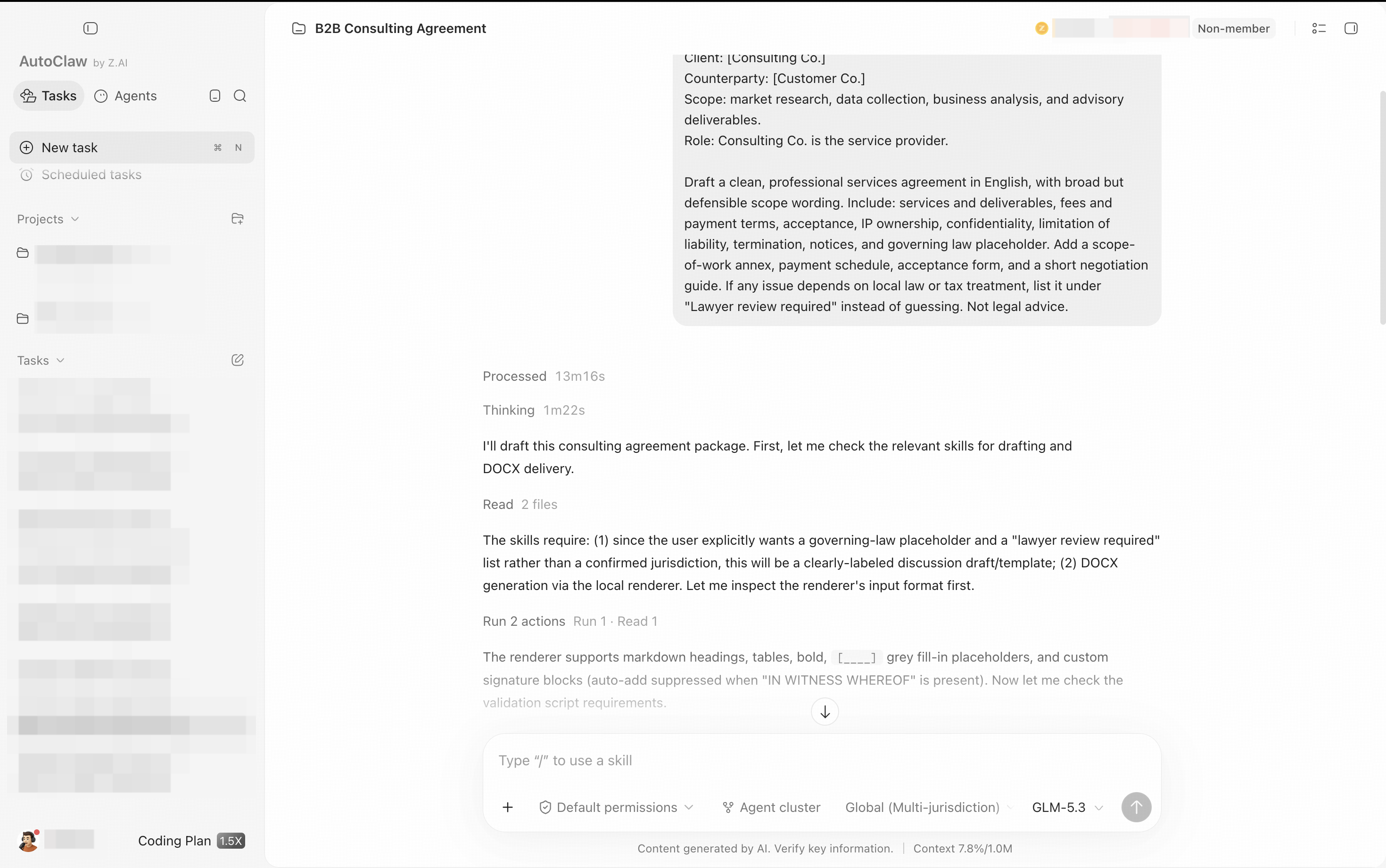
📖 Example task:
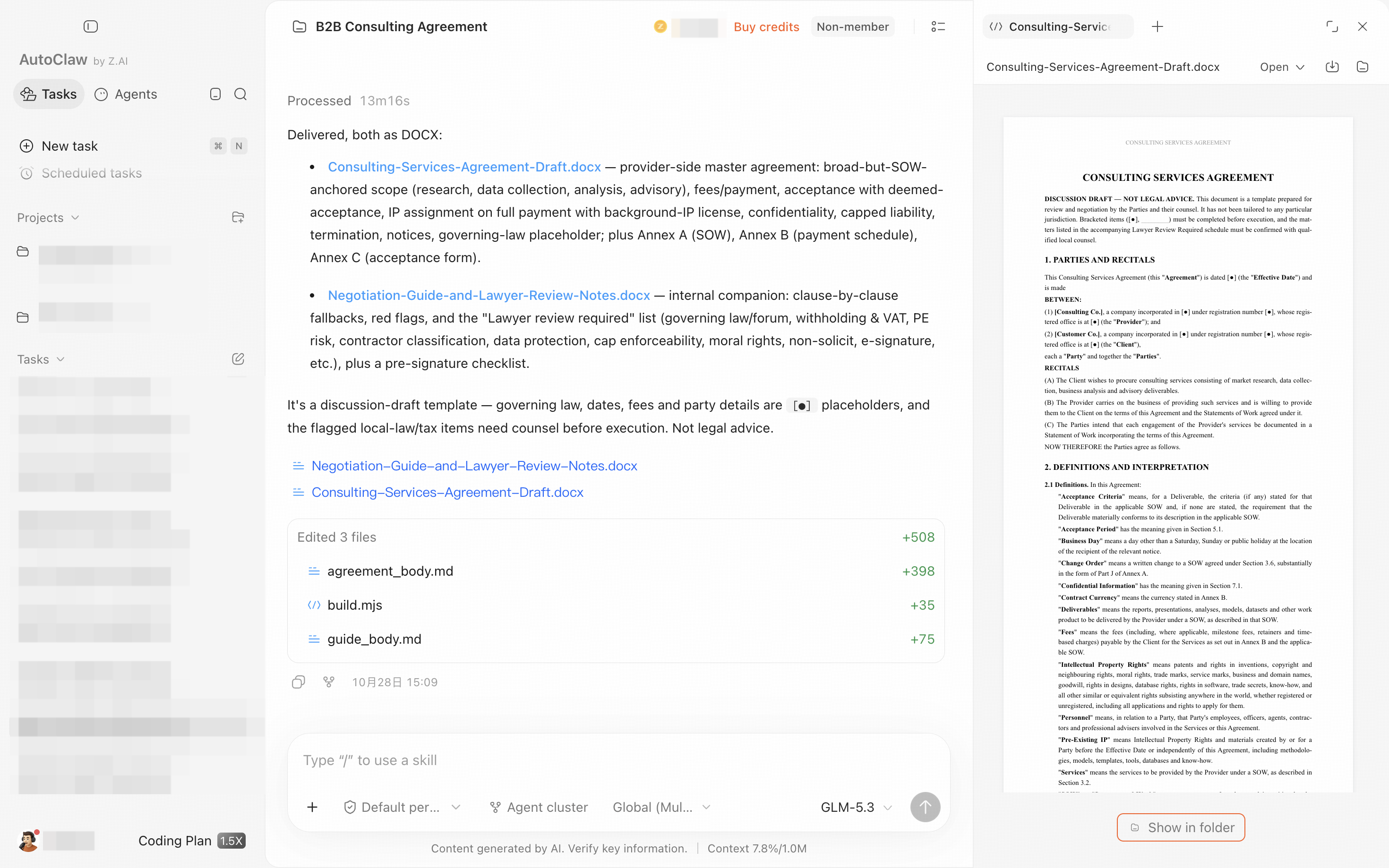
You are drafting a B2B consulting agreement for an overseas client.
Client: [Consulting Co.]
Counterparty: [Customer Co.]
Scope: market research, data collection, business analysis, and advisory deliverables.
Role: Consulting Co. is the service provider.
Draft a clean, professional services agreement in English, with broad but defensible scope wording. Include: services and deliverables, fees and payment terms, acceptance, IP ownership, confidentiality, limitation of liability, termination, notices, and governing law placeholder. Add a scope-of-work annex, payment schedule, acceptance form, and a short negotiation guide. If any issue depends on local law or tax treatment, list it under "Lawyer review required" instead of guessing. Not legal advice.
4. Facts and materials organization
📖 Example task: Read the chat records and emails in the folder and build a timeline of key events, a list of disputed issues, and an evidence index. Mark which facts are confirmed and which still need to be verified.
The Legal assistant can turn scattered case materials into structured facts:
- Input: chat records, emails, judgments, evidence materials, meeting minutes
- Output: timelines, key facts, disputed issues, evidence indexes, evidence gaps, suggestions for supplementary evidence
- Highlight: distinguishes "confirmed facts" from "facts still to be verified," so speculation is not treated as fact
5. File redaction
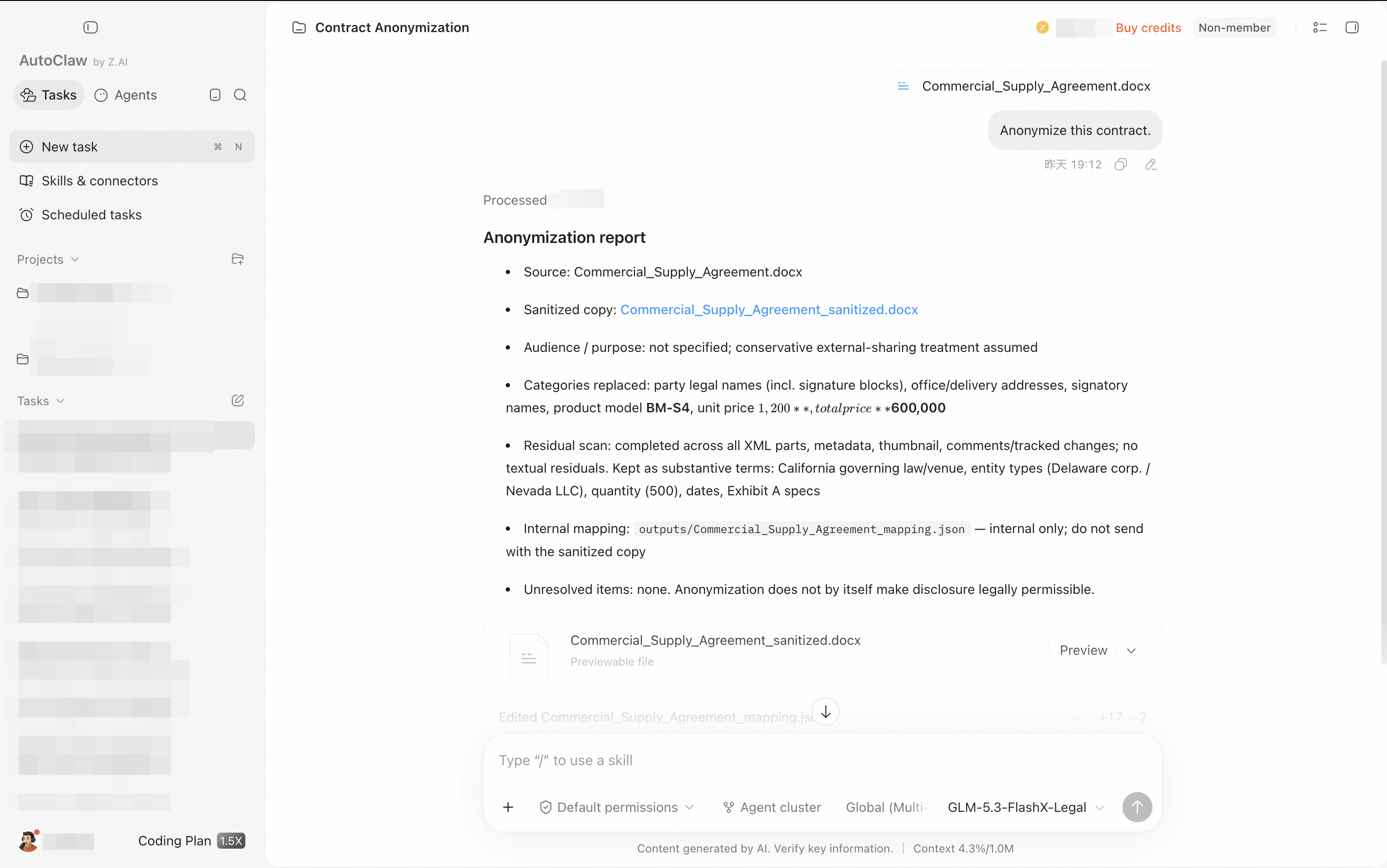
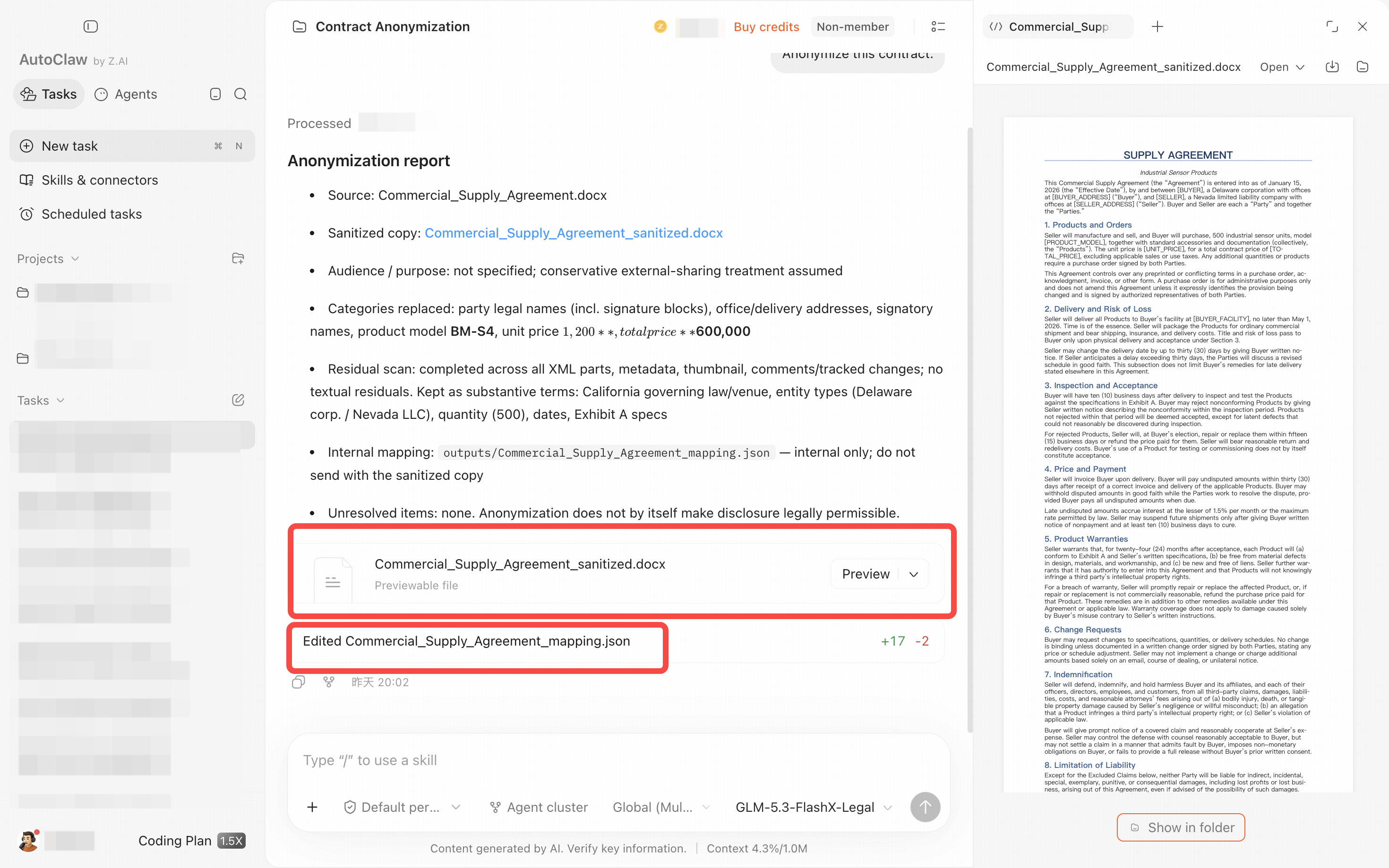
Send the contract you want to redact directly to the Legal assistant. It identifies and replaces sensitive information in contracts or materials:
- A redacted file ready to share externally
- Use cases: sharing case materials externally, submitting training materials, publishing case studies, and similar scenarios
✅ Next step: to use these capabilities more smoothly, see Prompting tips.