Model settings
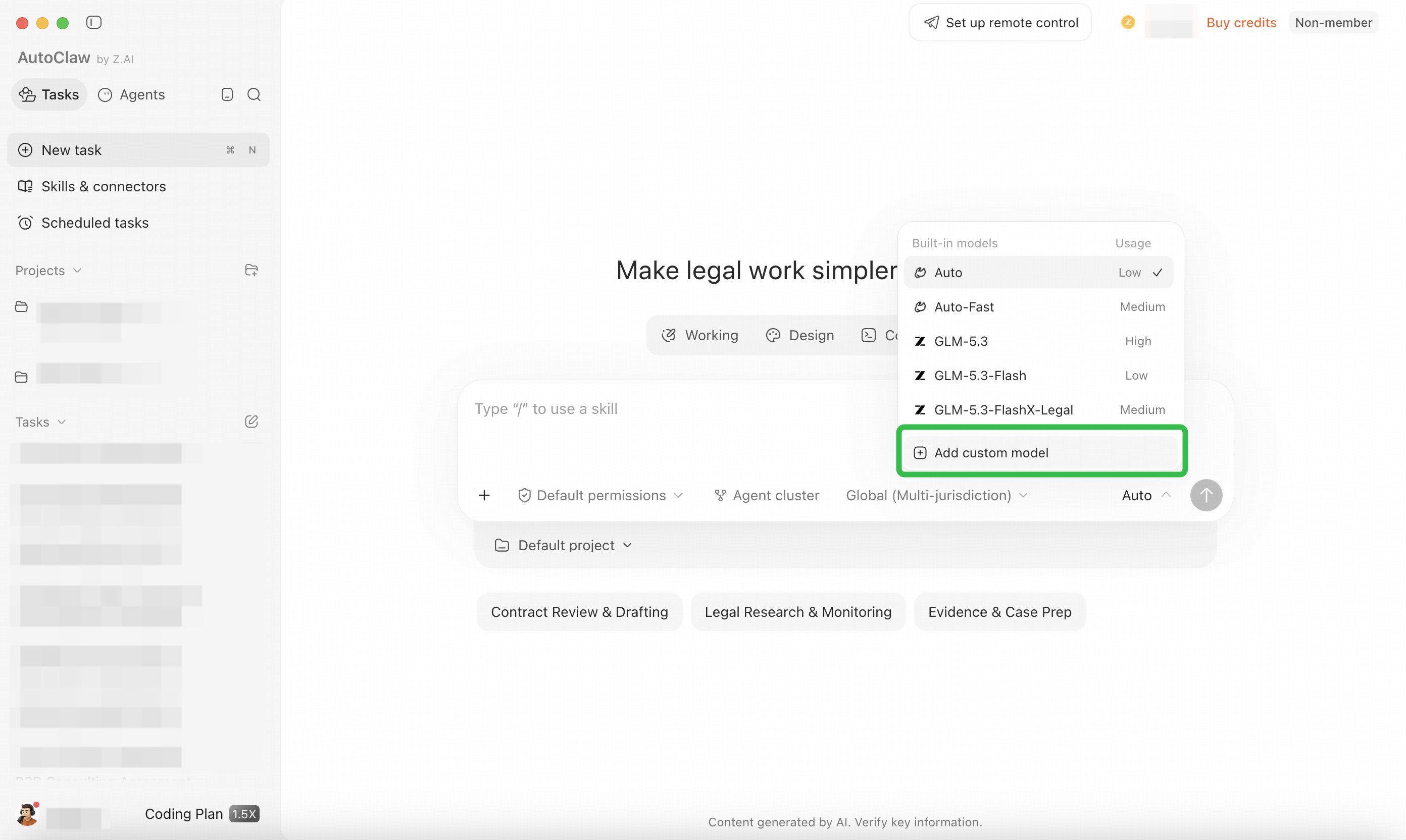
AutoClaw has five built-in platform models: the flagship model GLM-5.3, GLM-5.3-Flash, GLM-5.3-FlashX-Legal, Auto-Fast mode, and Auto mode. You can also directly configure the Z.ai Coding Plan and other custom models.
Model entry
Below the chat box, click the current model to see the platform models. Select the model you want to switch to. Switching models within the same chat box does not affect the context.
How to choose a model
The platform currently offers five models: the flagship model GLM-5.3, GLM-5.3-Flash, GLM-5.3-FlashX-Legal, Auto-Fast mode, and Auto mode. Different models consume credits at different rates, so you can choose based on the complexity of your task.
- Auto mode: Suited to most everyday tasks. The system selects the model automatically, with slower credit consumption and faster responses.
- Auto-Fast: The fast tier of Auto. It prioritizes response speed and suits simple, time-sensitive tasks.
- GLM-5.3-Flash: Suited to most everyday tasks, with moderate credit consumption and faster responses.
- GLM-5.3: Suited to complex reasoning tasks, with faster credit consumption and slower responses.
- GLM-5.3-FlashX-Legal: A model optimized for legal scenarios, suited to legal tasks such as contract review and regulation search.
You can switch models directly within the same chat, and the existing context is not lost.
Custom models
Configure Coding Plan
AutoClaw supports configuring the Z.ai Coding Plan.
Click Coding Plan on the left, select a provider, select a model, enter your API key,
and click Save to use your Coding Plan subscription in AutoClaw.
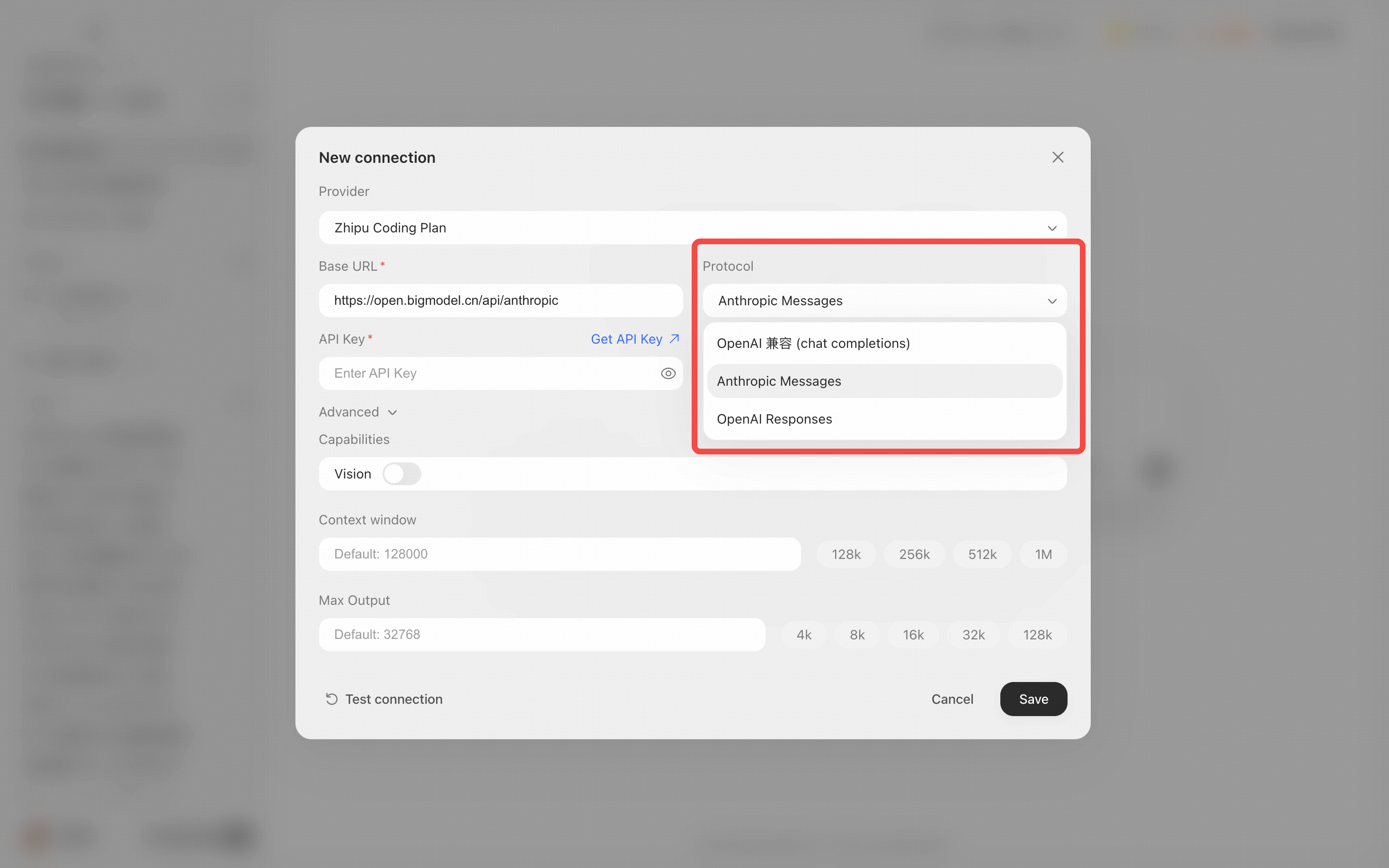
AutoClaw also supports configuring other custom models. In the chat box, click the model, then click Add custom model, which takes you to Settings → Models & API.
Enter your API key and related information to complete the setup.
Usage notes
- Third-party custom models are operated independently. For their availability, stability, security, compliance, and generated results, please check the third party's service status and announcements.
- Model calls may be triggered continuously during use. We recommend closely monitoring your charges on the third-party account to avoid unexpected spending.