Preview and export
📤 After the design is done, check it in a suitable view first, then choose an export format based on your downstream workflow.
Choose a suitable preview view
Choose a suitable preview view in the preview toolbar
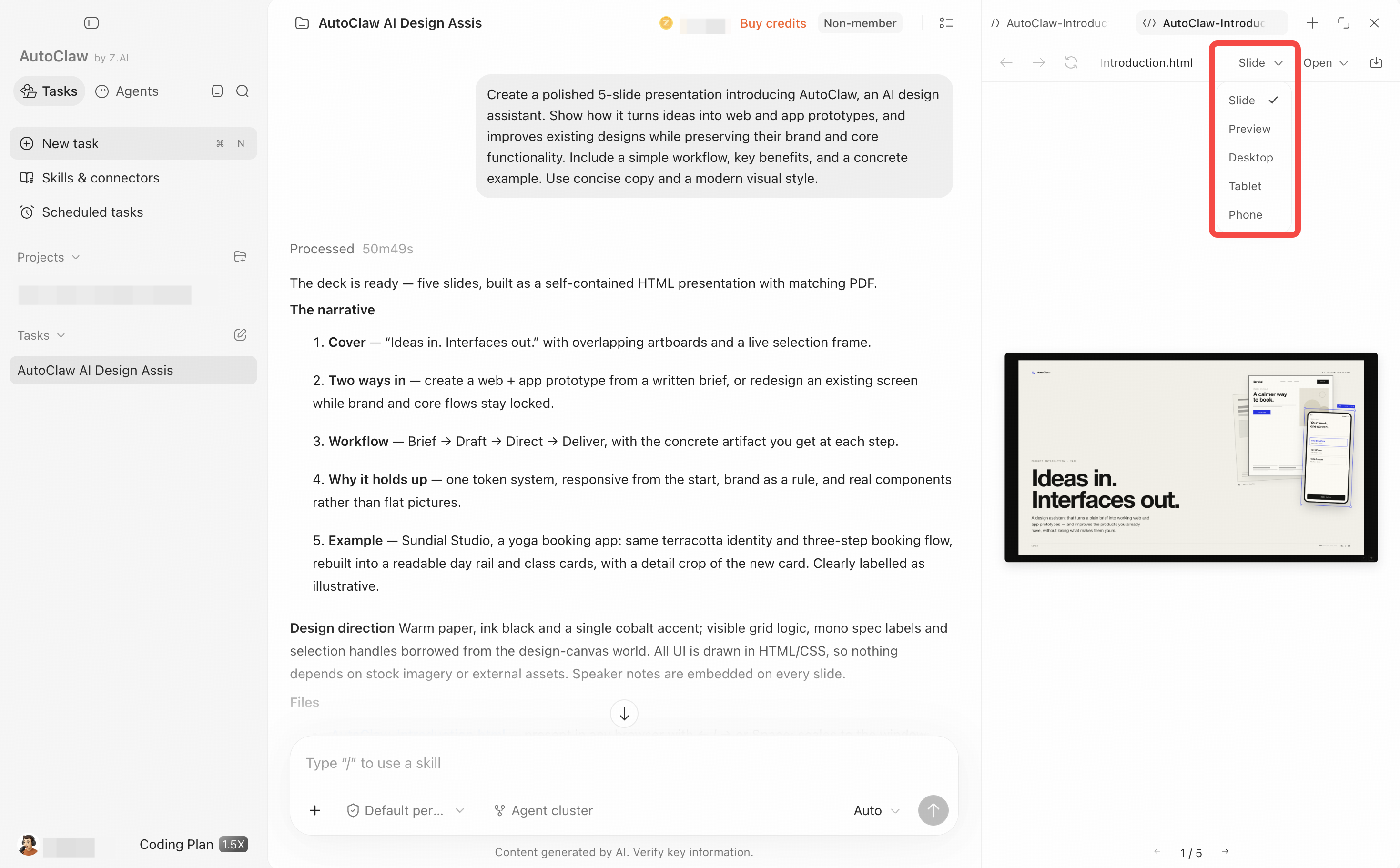
| View | Best for |
|---|---|
| Desktop | Web apps, admin panels, and dashboards |
| Phone | App interfaces and mobile pages |
| Tablet | Tablet layout checks |
| Preview | Overview of the whole design |
| Slide | Slide-by-slide preview and speaker notes check |
You can use Ctrl/Cmd + scroll wheel to zoom between 20% and 200%.
Choose an export format based on your downstream workflow
Open the export menu in the preview toolbar, choose a suitable format, and export
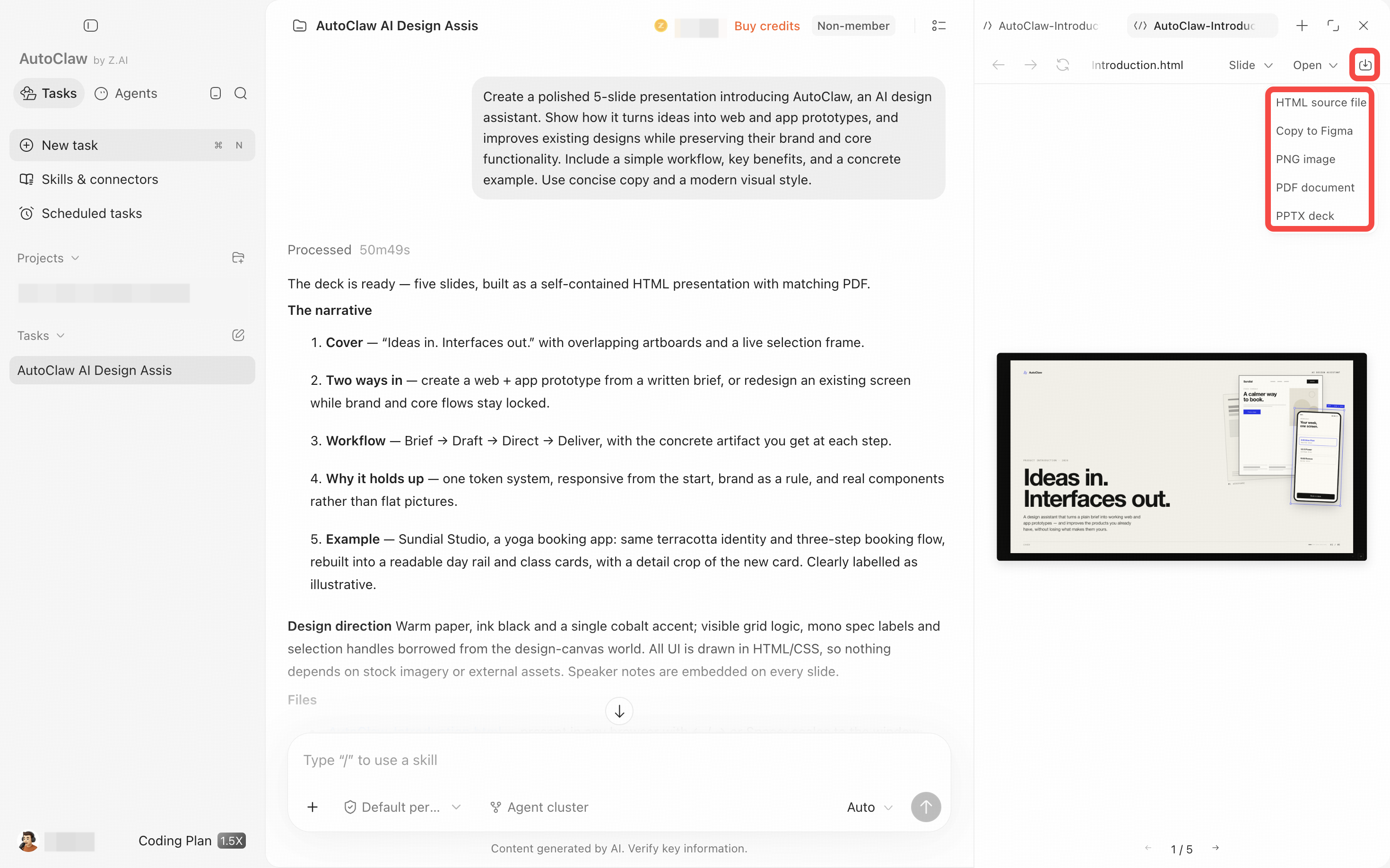
| Format | Use |
|---|---|
| HTML | Download the HTML source and open it directly in a browser for interactive preview and review |
| Archiving, sharing, and fixed-layout review | |
| PNG | Quickly share page screenshots; supports capturing long pages |
| PPTX | PowerPoint file for slide designs, including slide text and speaker notes |
| Figma | Copy to the clipboard, then paste into Figma to continue in your existing design workflow |
💡 HTML prototypes are for preview, review, and developer handoff, and do not replace the formal development and release process.